The KODAK Dock Plus is designed for printing smartphone photos at home, with a built-in phone dock, Bluetooth connection and 4PASS dye-sublimation output.
This KODAK Dock Plus 4x6 Photo Printer review looks at its fit for albums, frames and everyday keepsakes, along with the tradeoffs of a power-dependent desktop design.
KODAK Dock Plus Review Summary
The quick verdict

19,000+ ratings
Read Amazon ReviewsKODAK Dock Plus 4x6 Photo Printer
A home photo printer for smartphone users who want app-edited 4x6 prints and a dock that charges their phone while printing.
- Prints smartphone photos in 4x6-inch format.
- Uses 4PASS dye-sublimation printing, with three color layers and a clear protective lamination layer.
- The integrated docking station holds a phone and charges it during printing.
- Connects over Bluetooth to compatible iOS and Android devices through the KODAK Photo Printer app.

Pros
- Standard 4x6-inch output suits photo albums, framing and sharing physical keepsakes.
- The phone dock combines a place to position the device with charging during a print job.
Consider before buying
- The outlet-powered desktop design calls for a dedicated spot and does not suit printing wherever you happen to be.
- Printing depends on a compatible smartphone, Bluetooth connection and the KODAK Photo Printer app.
Read the full review summary
The Dock Plus combines a phone stand and charger with a printer for standard 4x6-inch photos.
It connects to compatible iOS and Android devices through the KODAK Photo Printer app, where you can crop, edit and customize images before printing.
The printer uses 4PASS dye sublimation, layering three colors and a clear protective finish onto each print.
Its strongest fit is a home or desk where you want larger physical prints from a phone without setting up a more general-purpose printer.
The included 50 sheets let you get started, while the app and dock make the phone-to-print routine straightforward.
Plan for a nearby outlet and a stable spot: this model is designed for desktop use and plugs in for power.
The buying factors
KODAK Dock Plus Scorecard
Editorial scores reflect listed features and buyer fit; they are not laboratory measurements or customer ratings.
Print size
Produces 4x6-inch prints, a useful format for albums and frames.
Phone workflow
Bluetooth and the KODAK app support printing from compatible iOS and Android devices.
Dock convenience
The integrated dock holds a phone and can charge it during printing.
Print protection
A clear lamination layer is designed to resist fingerprints, water and fading.
Setup simplicity
The described workflow is to power on, connect over Bluetooth and print through the app.
Placement flexibility
Its desktop design and outlet-powered operation suit a fixed home station more than printing away from a power source.
Key Features and Specifications of KODAK Dock Plus
- Prints smartphone photos in 4x6-inch format.
- Uses 4PASS dye-sublimation printing, with three color layers and a clear protective lamination layer.
- The integrated docking station holds a phone and charges it during printing.
- Connects over Bluetooth to compatible iOS and Android devices through the KODAK Photo Printer app.
- The app supports editing, cropping and customization before printing.
- Designed for desktop use and connects to a power outlet.
- The package includes 50 sheets; the described print time is approximately 55 seconds per photo.
Pros and Cons of KODAK Dock Plus
Pros
- Standard 4x6-inch output suits photo albums, framing and sharing physical keepsakes.
- The phone dock combines a place to position the device with charging during a print job.
- App-based editing lets you crop and customize before committing to a print.
- The laminated dye-sublimation process is designed to help prints resist fingerprints, water and fading.
Consider before buying
- The outlet-powered desktop design calls for a dedicated spot and does not suit printing wherever you happen to be.
- Printing depends on a compatible smartphone, Bluetooth connection and the KODAK Photo Printer app.
- The 50 included sheets provide a starting supply, so frequent printing means planning for additional compatible supplies.
Who Should Buy KODAK Dock Plus?
Good fit
Consider the Dock Plus if you regularly turn phone photos into physical prints and want the common 4x6-inch size.
Its app workflow gives you a chance to crop or adjust an image first, and the dock keeps the phone positioned while it charges during printing.
It also makes sense for a home photo station used for albums, family events or prints destined for frames. The described process is intentionally simple: connect power, pair a compatible phone over Bluetooth and print from the app.
If you expect to print often, think about where the printer will sit and how you will replenish paper and dye-sublimation supplies.
The protective finish is a practical feature for photos that will be handled, though it should not be taken as a guarantee against every kind of damage over time.
Treat the stated resistance as a design benefit, and store or display important prints with the care you would use for other photographs.
Who should skip it
Look elsewhere if you need a printer that runs away from an outlet or will be carried between locations.
The Dock Plus is built as a powered desktop station, so its convenience depends on having a suitable place to set it up.
It may also be a poor match if you want to print without using a smartphone app or need formats other than 4x6 inches.
Check that your phone is compatible with the KODAK app and that 4x6 output fits your project before choosing it.
How the KODAK Dock Plus fits a home photo routine
A dock-centered workflow
The integrated dock gives the printer a clear role on a desk or counter: position a compatible phone, keep it charging and send selected photos through the app.
That setup can reduce the small hassles of handling a phone while printing, especially when preparing several images.
It also makes placement a real consideration; this is best treated as a home station rather than an occasional portable accessory.
What 4PASS means for keepsakes
The printer builds each image with three color layers and applies a clear lamination layer. That design is intended to produce a smooth, detailed photo with resistance to fingerprints, water and fading.
For albums and frames, the finish is relevant because prints may be handled or displayed, but image results still depend on the source photo and the way it is edited.
The supply and time tradeoff
The 50-sheet starter supply offers room to try the printer and make a small batch of prints.
A print takes approximately 55 seconds, so it is better suited to selecting and printing photos at home than expecting a large stack to appear instantly.
Frequent users should consider their likely print volume and supply replacement routine before making this their regular photo workflow.
App editing before printing
Cropping and customization in the KODAK Photo Printer app give you a chance to frame an image for a 4x6 print before using paper.
That is useful when a phone photo needs a tighter composition or a personal touch.
The tradeoff is that the workflow centers on compatible iOS or Android devices and the app, so confirm that this fits the devices you plan to use.
Alternatives to KODAK Dock Plus
Desktop Photo Printers alternative
4,000+ ratings
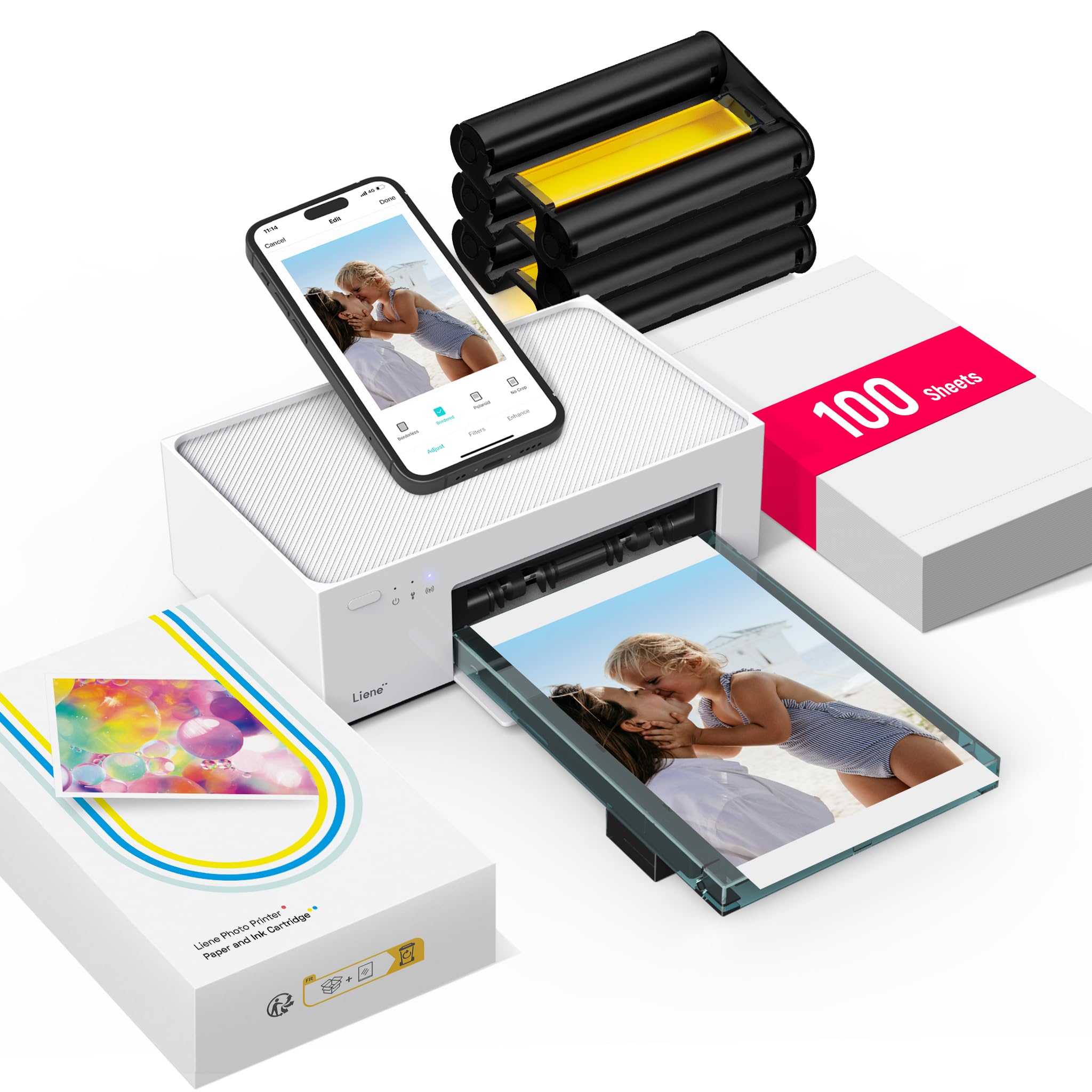
Read Amazon ReviewsLiene M100 4x6 Photo Printer
Consider the Dock Plus if the charging dock and Bluetooth workflow are priorities.
The Liene M100 may suit a household that wants a larger included paper supply or printing access for several connected devices; check whether its Wi-Fi hotspot approach fits your setup.
- The Liene M100 uses a built-in Wi-Fi hotspot, supports up to five simultaneous device connections and includes 100 sheets with three color cartridges.
- Its app supports borders, filters, contrast and brightness adjustments.
- The KODAK Dock Plus has a built-in phone dock that charges the phone while printing, and it connects over Bluetooth through its app.
Battery-focused alternative

500+ ratings
Read Amazon ReviewsLiene M200 4x6 Photo Printer
Choose the Dock Plus if you expect to print at a fixed home station and value its integrated charging dock.
The Liene M200 is a closer fit when printing away from an outlet matters, though its stated battery capacity and smaller included paper supply are worth factoring into your routine.
- The Liene M200 has a rechargeable battery and is described as capable of up to 40 prints per charge.
- It also uses a built-in Wi-Fi hotspot and includes 20 sheets of photo paper with a cartridge.
- The KODAK Dock Plus is designed for desktop use and draws power from an outlet; it includes a phone dock for charging during printing.
Is KODAK Dock Plus Worth It?
The KODAK Dock Plus is worth considering for smartphone owners who want straightforward 4x6 photo printing at home.
Its most distinctive convenience is the dock, which positions and charges a phone while the app handles editing and printing; the laminated 4PASS process is designed with handled keepsakes in mind.
Buy it if you have space near an outlet, prefer app-based phone printing and expect to make prints in manageable batches.
If you need power-free portability or a different connection style, compare models built around those needs before settling on this desktop printer.
Your review at a glance
19,000+ ratings
Read Amazon ReviewsKODAK Dock Plus 4x6 Photo Printer
A home photo printer for smartphone users who want app-edited 4x6 prints and a dock that charges their phone while printing.
- Prints smartphone photos in 4x6-inch format.
- Uses 4PASS dye-sublimation printing, with three color layers and a clear protective lamination layer.
- The integrated docking station holds a phone and charges it during printing.
- Connects over Bluetooth to compatible iOS and Android devices through the KODAK Photo Printer app.