The KODAK Mini 2 Retro 2x3 Portable Photo Printer review is for anyone who wants to turn phone photos into small physical keepsakes without setting up a full-size printer.
Its dye-sublimation process, Bluetooth app workflow, and starter paper supply suit casual printing, though its compact print size is best for albums and personal projects.
Mini 2 Retro Review Summary
The quick verdict
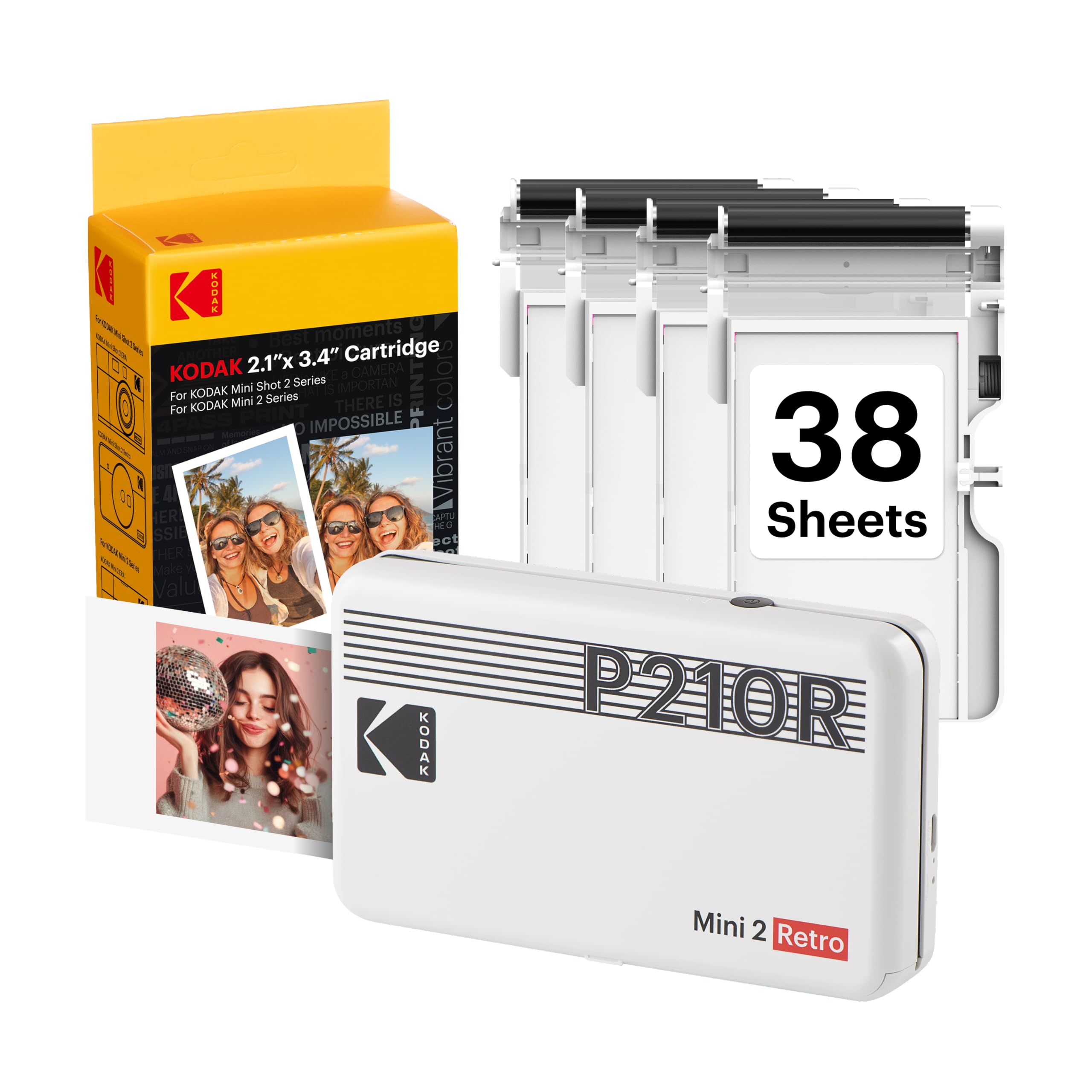
12,000+ ratings
Read Amazon ReviewsKODAK Mini 2 Retro
A good fit for smartphone photographers who want compact, credit-card-size prints for albums, planners, parties, and travel.
- Prints photos from compatible iOS and Android devices over Bluetooth using the KODAK Photo Printer app.
- Uses 4PASS dye-sublimation printing, producing photos in three color layers followed by a clear protective lamination layer.
- Makes prints approximately the size of a credit card, for wallets, planners, albums, scrapbooks, and other keepsake projects.
- The stated print time is approximately 55 seconds per photo.

Pros
- Portable design is intended for use at home, parties, trips, and other occasions when you want a print away from a desk.
- The layered dye-sublimation process adds a clear lamination finish to each photo.
Consider before buying
- Credit-card-size prints are small, so they are better suited to keepsakes and compact displays than to viewing larger scenes or details.
- Printing depends on a compatible phone, Bluetooth connection, and the KODAK Photo Printer app.
Read the full review summary
The Mini 2 Retro pairs a portable design with 4PASS dye-sublimation printing.
It connects to compatible iOS and Android devices over Bluetooth through the KODAK Photo Printer app, where you can crop, edit, and customize an image before printing.
The result is a credit-card-size photo, a practical format for wallets, planners, scrapbooks, albums, and photo-booth keepsakes.
The included four cartridges and 38 sheets of photo paper make it possible to start printing without assembling the basic supplies separately.
This is a personal photo printer for spontaneous prints and creative projects, not a substitute for larger prints. Consider whether the small format and app-based workflow suit the way you expect to use your photos.
The buying factors
Mini 2 Retro Scorecard
Editorial scores reflect listed features and buyer fit; they are not laboratory measurements or customer ratings.
Portability
The printer is described as small enough for a hand, bag, or pocket, which suits travel and event use.
Print format flexibility
Credit-card-size output is useful for keepsakes and compact projects but limits how much of a scene or detail fits on a print.
Print finish
The 4PASS process lays down three color layers and a clear protective lamination layer.
Phone workflow
Bluetooth pairing and app-based cropping, editing, and customization support direct printing from compatible smartphones.
Ready-to-use supplies
The bundle includes four cartridges, 38 sheets, a USB Type-C cable, and a user guide.
Creative project fit
The compact output and editing app fit wallets, planners, albums, scrapbooks, and photo-booth use.
Key Features and Specifications of Mini 2 Retro
- Prints photos from compatible iOS and Android devices over Bluetooth using the KODAK Photo Printer app.
- Uses 4PASS dye-sublimation printing, producing photos in three color layers followed by a clear protective lamination layer.
- Makes prints approximately the size of a credit card, for wallets, planners, albums, scrapbooks, and other keepsake projects.
- The stated print time is approximately 55 seconds per photo.
- The app supports editing, cropping, and customizing photos before printing.
- The package includes the Mini 2 Retro printer, four cartridges, 38 sheets of photo paper, a USB Type-C cable, and a user guide.
Pros and Cons of Mini 2 Retro
Pros
- Portable design is intended for use at home, parties, trips, and other occasions when you want a print away from a desk.
- The layered dye-sublimation process adds a clear lamination finish to each photo.
- Editing and cropping in the companion app let you prepare an image before sending it to print.
- The included paper and cartridges provide a useful starting supply for trying the printer.
Consider before buying
- Credit-card-size prints are small, so they are better suited to keepsakes and compact displays than to viewing larger scenes or details.
- Printing depends on a compatible phone, Bluetooth connection, and the KODAK Photo Printer app.
- The workflow uses both photo paper and cartridges, so buyers should check the ongoing supply options and cost for their expected print volume.
Who Should Buy Mini 2 Retro?
Good fit
Consider the Mini 2 Retro if you regularly take photos on a phone and would enjoy making small prints for a travel journal, scrapbook, planner, wallet, or party activity.
The printer's portability and app editing make it easier to turn a selected image into a physical keepsake while the moment is still fresh.
The included 38 sheets and four cartridges give you materials to begin, and the USB Type-C cable is included for the printer.
Before buying, think about how often you will print and confirm that the app works with your phone. For frequent printing, check the availability and cost of compatible refill supplies so the consumable format fits your budget.
Its value is clearest when compact output is part of the appeal: a small image that can be added to an album or planner without needing a larger print.
The stated print time of about 55 seconds makes it more suitable for occasional batches and sharing than for treating every phone photo as an immediate print.
Who should skip it
Skip this model if you primarily want large prints for framing, wall display, or close inspection of fine detail; its output is about credit-card size.
It may also be a poor fit if you want prints without a smartphone app workflow or expect to print often without tracking paper and cartridge replenishment.
What the Mini 2 Retro Means for Everyday Photo Printing
Small prints favor keepsakes
Credit-card-size output fits spaces where a full-size photo would be awkward: a planner pocket, wallet, journal, or compact album. The tradeoff is inherent in the format.
Before printing, check the crop in the app, especially when the subject or background detail matters, because a small print gives less room to preserve a wide scene.
A layered finish for handling
The 4PASS process builds the image in three color layers and then applies a clear protective lamination layer. That design is intended to resist fingerprints, water, and fading, which may make the prints more convenient for everyday handling.
Treat these as design aims rather than a guarantee of how a print will hold up in every environment.
App editing can prevent avoidable reprints
Cropping and customization happen in the KODAK Photo Printer app before the image is sent over Bluetooth. That gives you a chance to frame a subject and add creative touches before using paper and a cartridge.
If you plan to print from multiple phones or share the printer at an event, check the connection steps and app compatibility ahead of time.
Plan for consumables as well as portability
The included four cartridges and 38 sheets make the starter bundle more ready for use than a printer-only purchase. After those supplies are used, printing depends on replenishing compatible media and cartridges.
Buyers who intend to print frequently should check the refill format and ongoing cost before settling on this kind of printer.
Alternatives to Mini 2 Retro
Sticker-print alternative

25,000+ ratings
Read Amazon ReviewsHP Sprocket Select
Choose the Mini 2 Retro if its smaller keepsake format and layered dye-sublimation process suit your projects. Consider the Sprocket Select if a larger sticky-backed photo is more useful for your albums or displays.
- The Sprocket Select prints larger 2.3-by-3.4-inch photos on sticky-backed ZINK paper, uses Bluetooth 5.1, and offers editing tools in the HP app.
- The Mini 2 Retro makes credit-card-size prints using 4PASS dye sublimation and includes 38 sheets of photo paper with four cartridges.
Sticker-print alternative
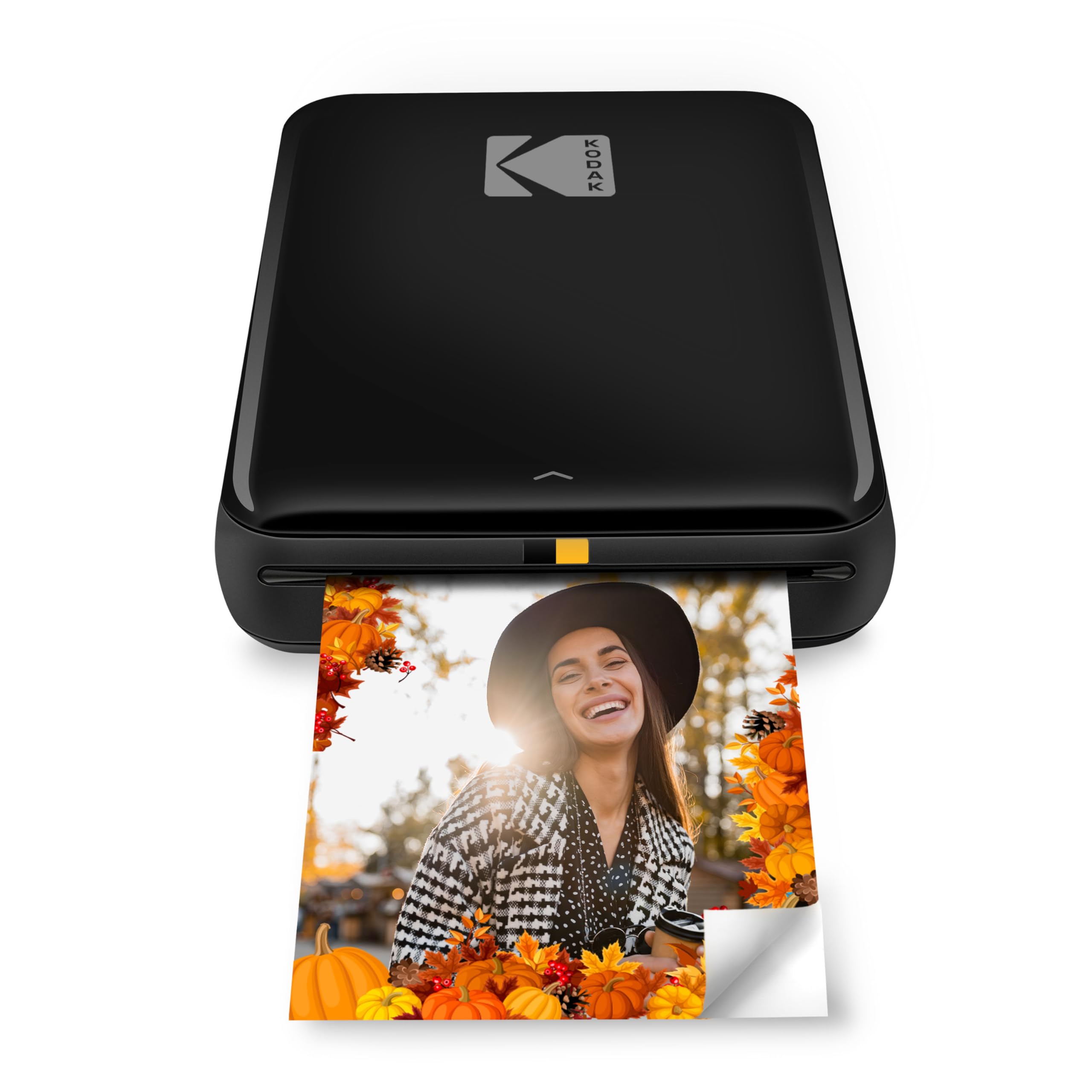
20,000+ ratings
Read Amazon ReviewsKODAK Step Instant Smartphone Photo Printer
The Step may better suit buyers who want adhesive-backed prints and a zero-ink paper workflow.
The Mini 2 Retro is the more relevant choice if you prefer its 4PASS dye-sublimation process and are comfortable replenishing both paper and cartridges.
- The KODAK Step makes 2-by-3-inch sticky-back photos using ZINK paper, which does not require ink cartridges; it connects to iOS and Android devices over Bluetooth or NFC and has an editing app.
- The Mini 2 Retro uses dye-sublimation cartridges and paper, with a protective lamination layer and credit-card-size output.
Is Mini 2 Retro Worth It?
The KODAK Mini 2 Retro is worth considering if you want portable, credit-card-size prints for personal keepsakes and are comfortable selecting and editing photos in a phone app.
Its 4PASS process, protective lamination layer, and useful starter supply make the package appealing for occasional printing.
Buy it when the compact format matches your projects and you can account for ongoing paper and cartridge costs. If you want larger or adhesive-backed photos, compare a printer built around that format before deciding.
Your review at a glance
12,000+ ratings
Read Amazon ReviewsKODAK Mini 2 Retro
A good fit for smartphone photographers who want compact, credit-card-size prints for albums, planners, parties, and travel.
- Prints photos from compatible iOS and Android devices over Bluetooth using the KODAK Photo Printer app.
- Uses 4PASS dye-sublimation printing, producing photos in three color layers followed by a clear protective lamination layer.
- Makes prints approximately the size of a credit card, for wallets, planners, albums, scrapbooks, and other keepsake projects.
- The stated print time is approximately 55 seconds per photo.