The Memoking Mini Printer - Sticker Printer T02 Inkless Sticker Maker Machine review is for buyers considering a pocket-sized thermal printer for study aids, labels, and small creative projects.
Its phone-based workflow and monochrome output make it a flexible tool for quick prints, provided you are comfortable working through an app.
Memoking T02 Printer Review Summary
The quick verdict
11,000+ ratings
Read Amazon ReviewsMemoking T02 Mini Printer
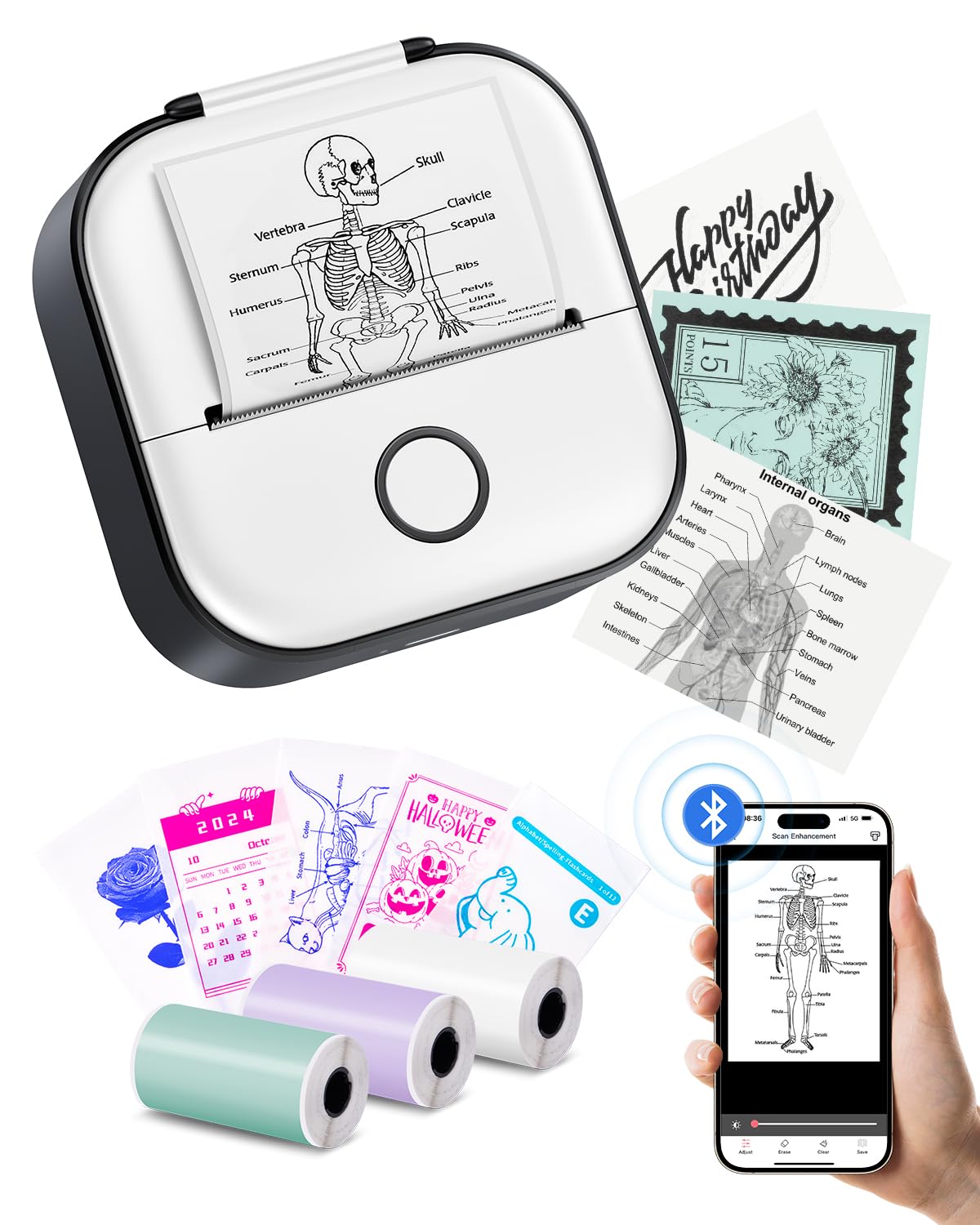
A compact monochrome printer for students, teachers, and hobbyists who want to make quick notes, diagrams, and custom stickers from a phone.
- Thermal printing works without ink, using compatible T02 thermal paper.
- The Phomemo app connects the printer to iOS and Android devices through its Bluetooth workflow.
- The app includes fonts, filter effects, themes, and a scan function for study graphics.
- The printer produces black-and-white output on white, colored, and clear transparent thermal paper.

Pros
- Small dimensions suit portable study, planning, and craft use.
- Inkless thermal printing avoids the need for ink cartridges.
Consider before buying
- Output is monochrome, so it cannot reproduce full-color photos or diagrams.
- The printer does not support computer printing; the app is required for the printing workflow.
Read the full review summary
The T02 is a compact thermal printer designed to turn phone content into small printed notes, graphics, photos, and labels.
Its app supports fonts, themes, filters, and a scan function, while the printer works with white, colored, and transparent thermal paper. Printing is black and white, even when using colored or clear media.
Its strongest fit is a student or teacher who wants portable study graphics, flashcard material, or reminders, as well as a home user making occasional labels and DIY pieces.
Small businesses may also find it useful for simple receipts, addresses, or logos, but it is not a computer-connected printer and every device must print through the app.
The buying factors
Memoking T02 Printer Scorecard
Editorial scores reflect listed features and buyer fit; they are not laboratory measurements or customer ratings.
Portability
The palm-sized body measures 3.39 × 3.39 × 1.42 inches, making it easy to store or carry.
Study and reference use
The app's scan function and support for graphics suit compact study notes and diagrams.
Creative flexibility
Fonts, filters, themes, and several thermal paper types allow varied small-format projects.
Label versatility
Printouts can be cut into custom shapes, though cutting is a manual step.
Color output
The printer produces monochrome output; colored media changes the background, not the printed ink color.
Device workflow
Phone compatibility covers iOS and Android, but printing is app-only and computer printing is unsupported.
Key Features and Specifications of Memoking T02 Printer
- Thermal printing works without ink, using compatible T02 thermal paper.
- The Phomemo app connects the printer to iOS and Android devices through its Bluetooth workflow.
- The app includes fonts, filter effects, themes, and a scan function for study graphics.
- The printer produces black-and-white output on white, colored, and clear transparent thermal paper.
- Its 3.39 × 3.39 × 1.42-inch form is designed for pocket storage and portability.
- The included starter paper is described as three thermal rolls in white, purple, and green.
- Printouts can be cut with scissors into labels of different shapes and sizes.
Pros and Cons of Memoking T02 Printer
Pros
- Small dimensions suit portable study, planning, and craft use.
- Inkless thermal printing avoids the need for ink cartridges.
- App tools support more than plain text, including scanned graphics and themed designs.
- Paper options include white, colored, and transparent media for different visual effects.
Consider before buying
- Output is monochrome, so it cannot reproduce full-color photos or diagrams.
- The printer does not support computer printing; the app is required for the printing workflow.
- Custom-shaped labels require cutting the printouts by hand.
Who Should Buy Memoking T02 Printer?
Good fit
Consider the T02 if you want a small printer to turn phone-based notes, diagrams, or reminders into physical pieces for a notebook, classroom, or home workspace.
The scan function may be especially useful when you want a compact study reference rather than a full-page print.
It also makes sense for casual DIY labeling and creative projects where small monochrome prints are enough.
Colored or transparent paper can change the look of a design, and scissors let you create a label shape that suits the project.
Before choosing it, make sure your preferred device and printing routine fit the app-only connection. If your main work depends on color reproduction or computer printing, this design is a poor match.
Who should skip it
Skip it if you need color images, larger documents, or a printer that works directly from a computer. Its intended output is compact and monochrome.
It may also be inconvenient if you need fast, standardized label production without hand-trimming, since the supplied description presents scissors as the way to shape custom labels.
How the Memoking T02 Printer Fits Study and DIY Printing
Small prints for study workflows
The T02's scan function is relevant for learners who want to turn diagrams or other graphics into portable study pieces.
The pocket format suits notebook inserts and flashcard-style references, while monochrome output means color-coded material will lose its original color distinction.
Thermal media and label making
Thermal printing removes the need for ink, and the stated media choices extend beyond white paper to colored and transparent rolls.
Since the output remains black and white, the different media mainly offer background and presentation choices; manual cutting adds flexibility but also another step.
App-first operation
The connection process runs through the Phomemo app, with iOS and Android compatibility described.
That keeps the printer centered on phone-based tasks, so buyers should check that their normal content and device workflow can be handled in the app before relying on it for regular work.
A practical scale for small business tasks
The suggested uses include receipts, delivery addresses, and company logos, which are all small-format jobs.
The pocket size and app tools make those uses plausible for occasional needs, but the monochrome, app-only format is best treated as a supplement for compact prints rather than a general office printer.
Alternatives to Memoking T02 Printer
Portable Thermal Printers alternative
28,000+ ratings
Read Amazon ReviewsPhomemo D30 Bluetooth Label Maker
Choose the T02 for broader pocket printing of study graphics, notes, and DIY pieces.
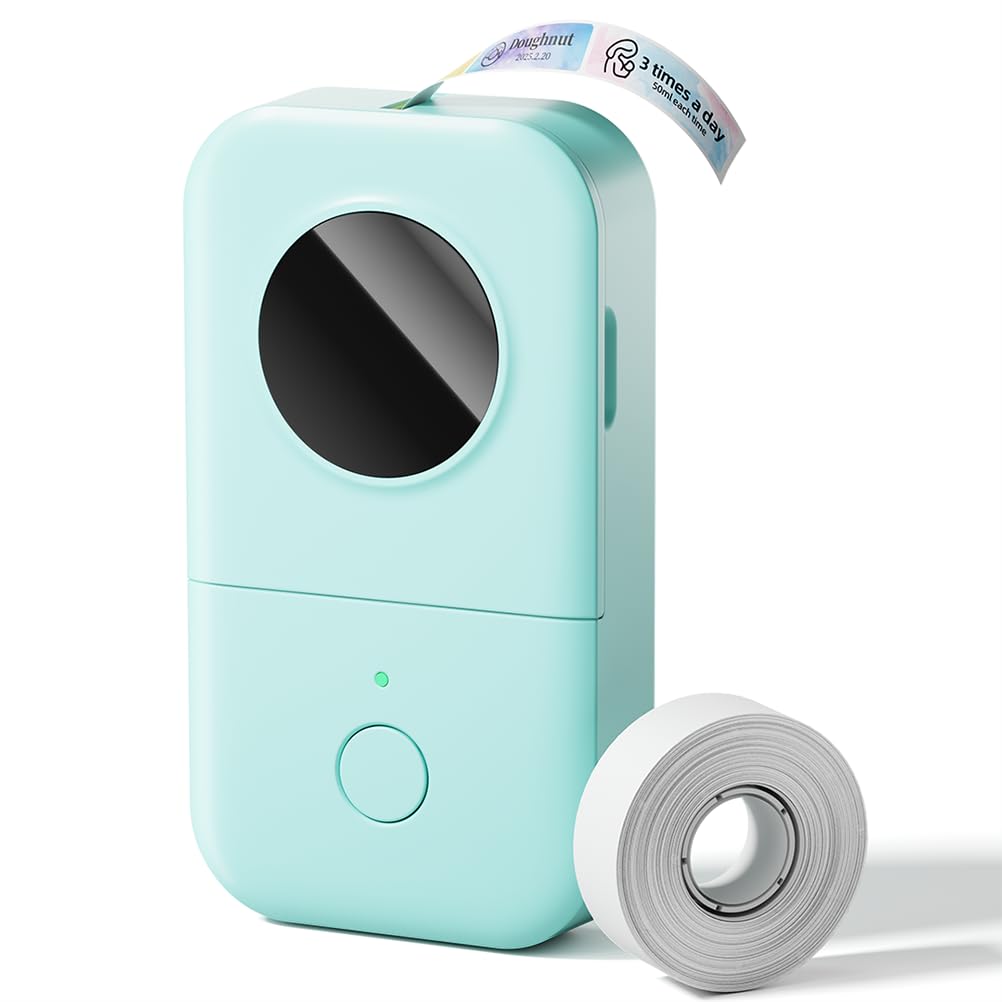
The D30 is a better fit when consistent label tape formats and features such as barcode or QR code creation matter more than printing general small graphics.
- The D30 is a dedicated label maker that supports continuous and fixed-length label tapes.
- Its Print Master app offers templates and tools including barcode, QR code, Excel import, scanning, and OCR; it prints black text, with color effects coming from patterned tapes.
- The T02 prints varied small graphics and labels on several kinds of thermal paper, with monochrome output and an app-only phone workflow.
Portable Thermal Printers alternative
9,000+ ratings
Read Amazon ReviewsPhomemo M02 Mini Sticker Printer
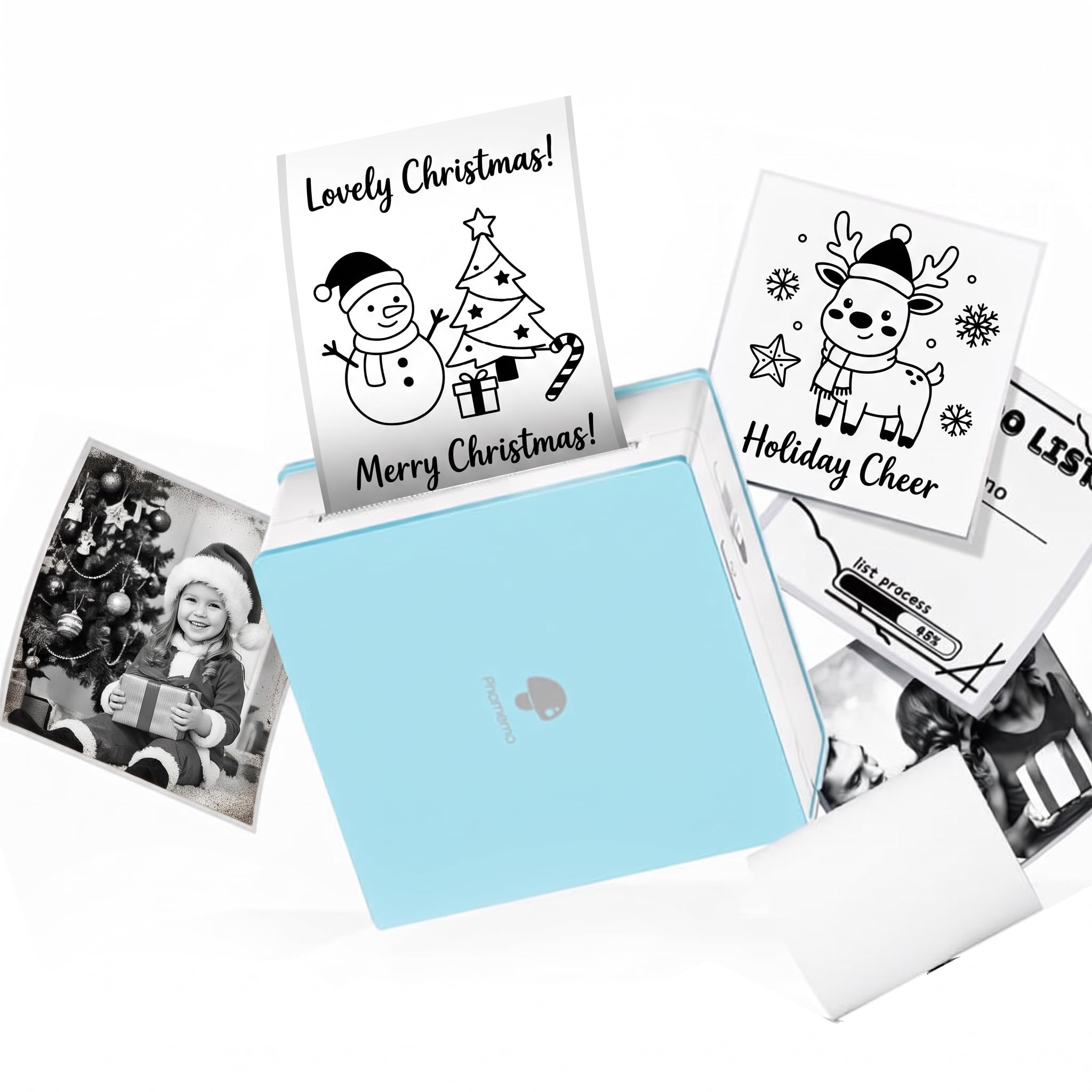
The M02 may suit buyers seeking a similar pocket printer for DIY, diaries, and study notes. The T02 has more clearly specified paper color choices in the supplied description, while both are monochrome, app-centered options.
- The M02 is another compact, inkless Bluetooth printer for Android and iOS.
- Its app supports photos, text, patterns, and scan-based study graphics, with a library of fonts and templates.
- The T02 emphasizes study graphics and offers white, colored, and transparent thermal paper options, while requiring app-based printing.
Is Memoking T02 Printer Worth It?
The Memoking T02 is worth considering if you want a portable, inkless way to print small study graphics, notes, and DIY labels from a phone. Its strongest advantages are its compact form, scan function, and flexible paper choices.
Buy it with realistic expectations: output is monochrome, printing depends on the app, and custom label shapes need hand-cutting.
For phone-based small prints, it is a useful niche tool; for computer printing or color output, choose a different type of printer.
Your review at a glance
11,000+ ratings
Read Amazon ReviewsMemoking T02 Mini Printer
A compact monochrome printer for students, teachers, and hobbyists who want to make quick notes, diagrams, and custom stickers from a phone.
- Thermal printing works without ink, using compatible T02 thermal paper.
- The Phomemo app connects the printer to iOS and Android devices through its Bluetooth workflow.
- The app includes fonts, filter effects, themes, and a scan function for study graphics.
- The printer produces black-and-white output on white, colored, and clear transparent thermal paper.