The best keyboards for work balance a comfortable typing feel with a layout and connection style that suit your desk and devices. This selection includes quiet full-size boards, multi-device wireless options and compact mechanical keyboards, so you can prioritize low noise, number-pad access or customization.
Quick Top Products
JLab Epic Wireless Keyboard
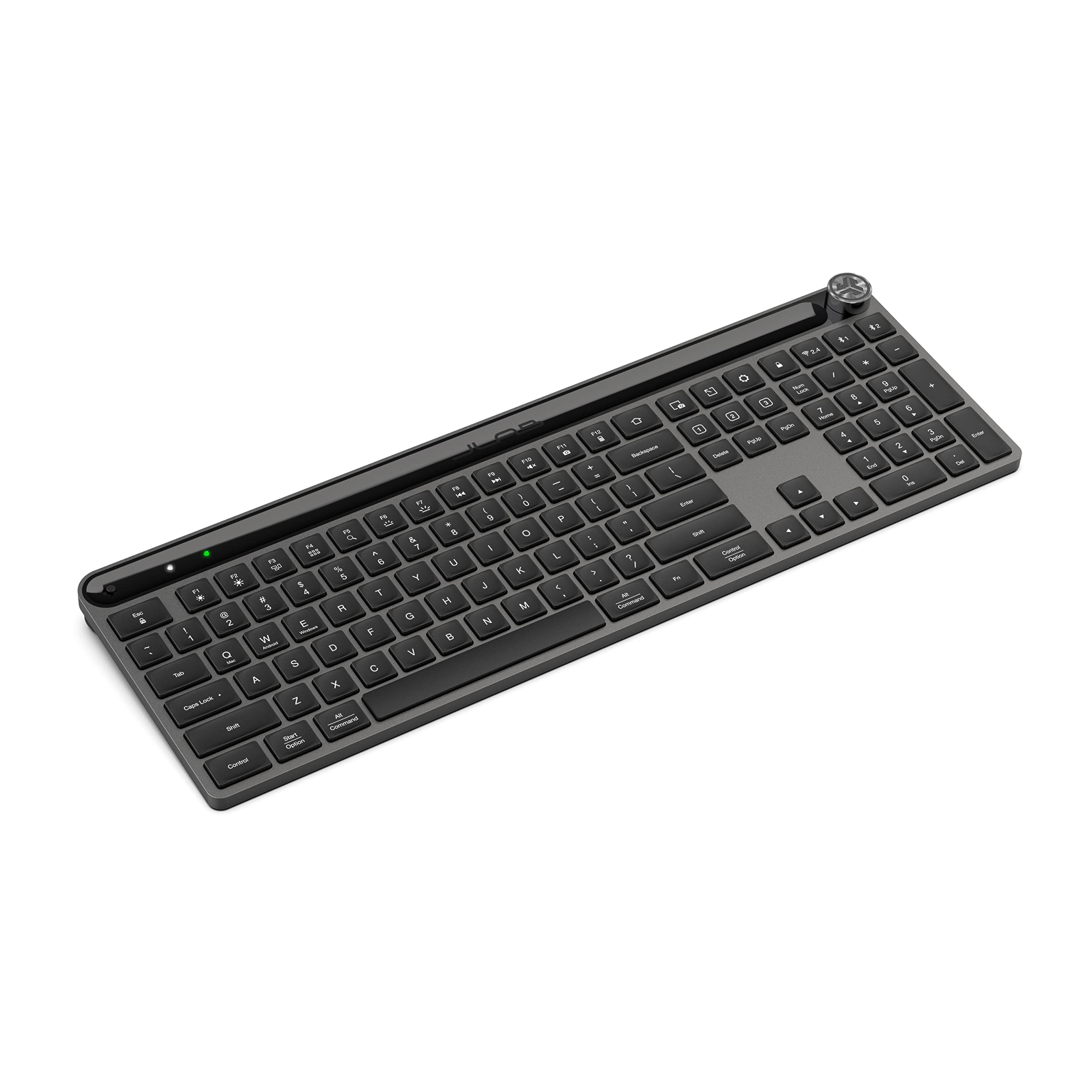
- Full-size 108-key layout with backlighting and soft-touch keys.
- Bluetooth pairs with up to three devices; a USB wireless dongle is also included as a connection option.
- Rechargeable 2,000 mAh battery and a media volume knob.
Best For: Office users who want a quiet full-size layout, backlighting and simple device switching.

JLab JBuds Wireless Keyboard
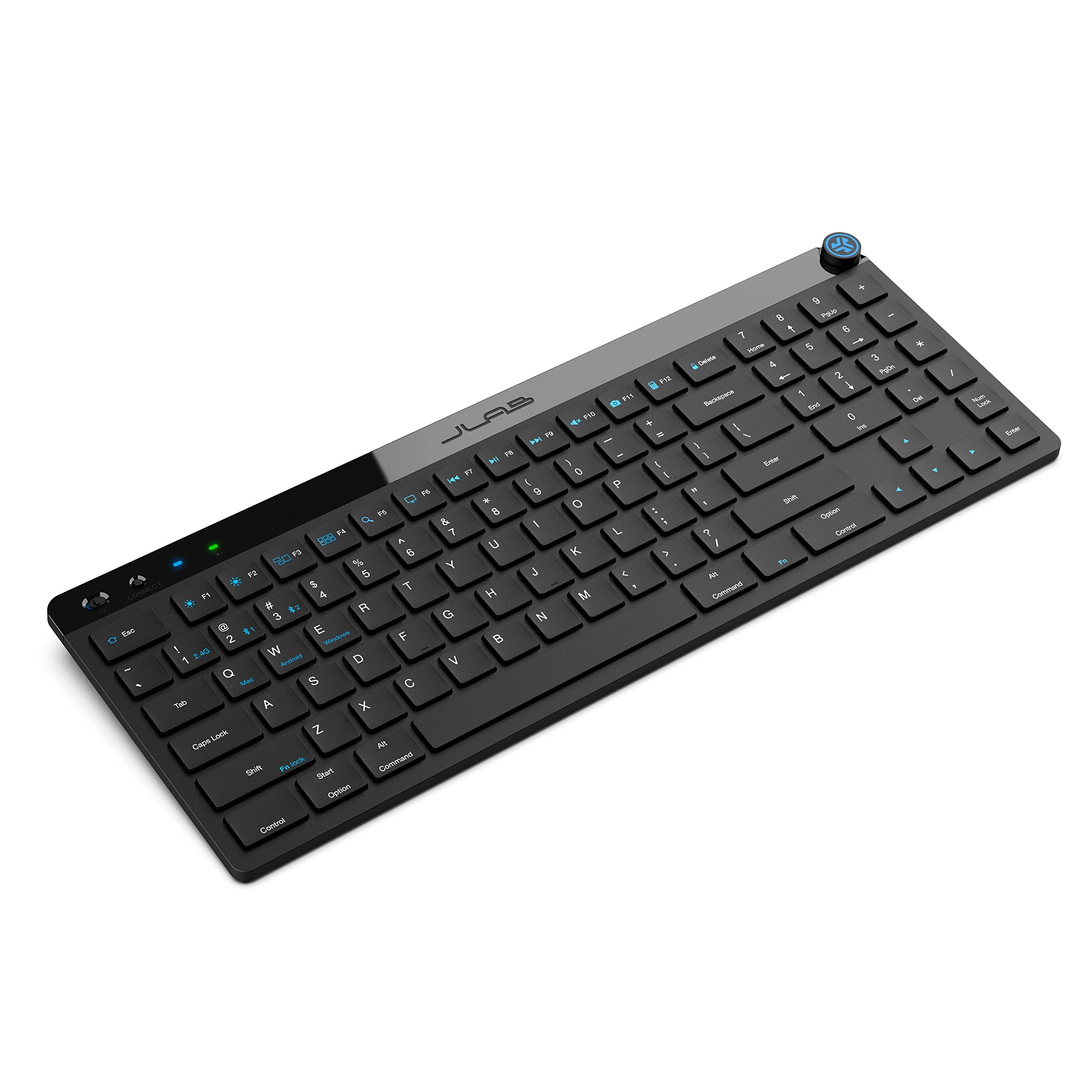
- 95 soft-touch keys, including a full numerical pad.
- Toggle among two Bluetooth connections and a USB wireless dongle connection.
- Up to 30 days of wireless battery life and a programmable media knob.
Best For: People seeking a slim wireless keyboard with a number pad, media controls and device profiles.
SteelSeries Apex 3 TKL
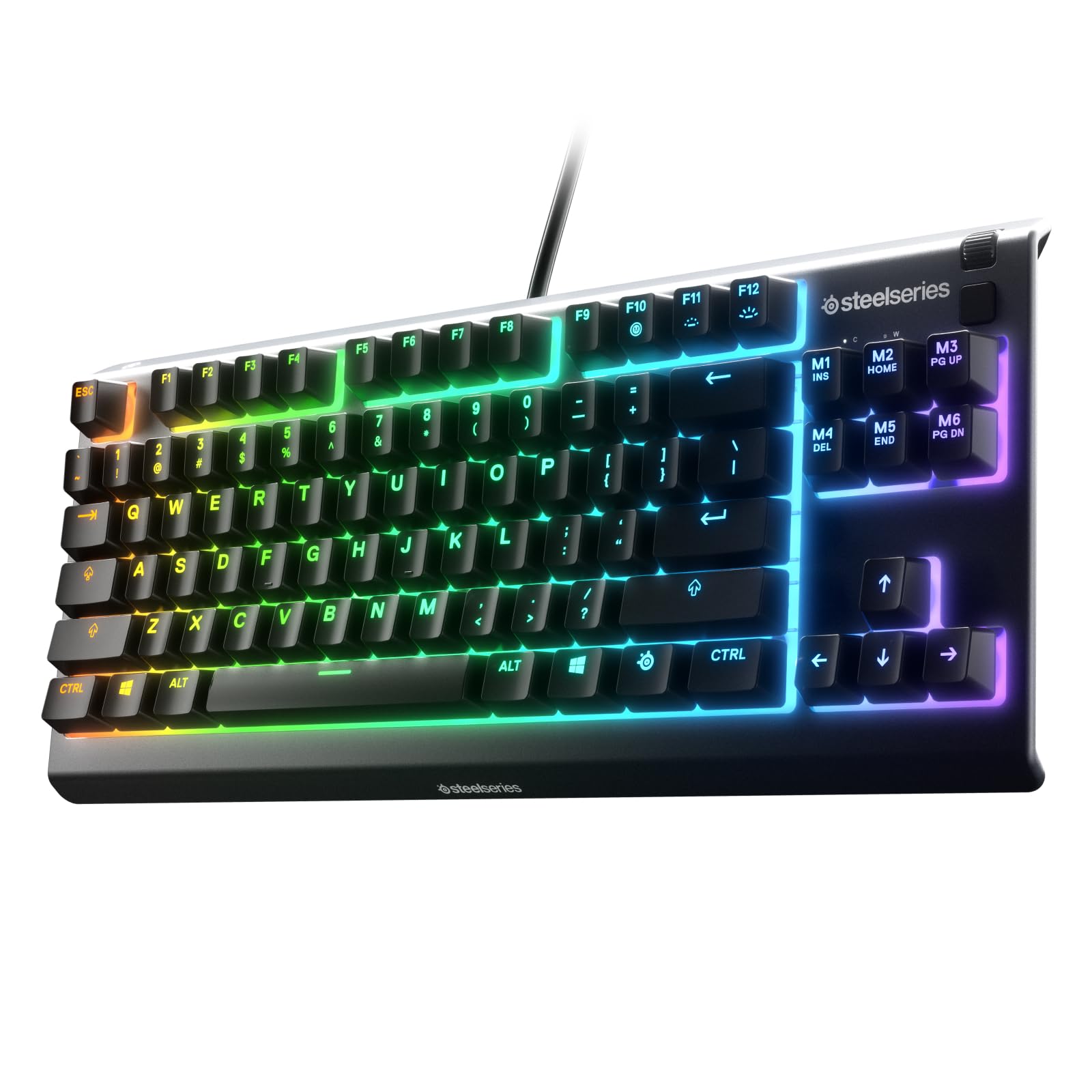
- Tenkeyless layout saves space by omitting the number pad.
- Whisper-quiet switches with anti-ghosting technology.
- IP32 water and dust resistance, plus media keys and a volume roller.
Best For: Workers who want a compact tenkeyless board with quiet switches and liquid and dust resistance.
SteelSeries Apex 3
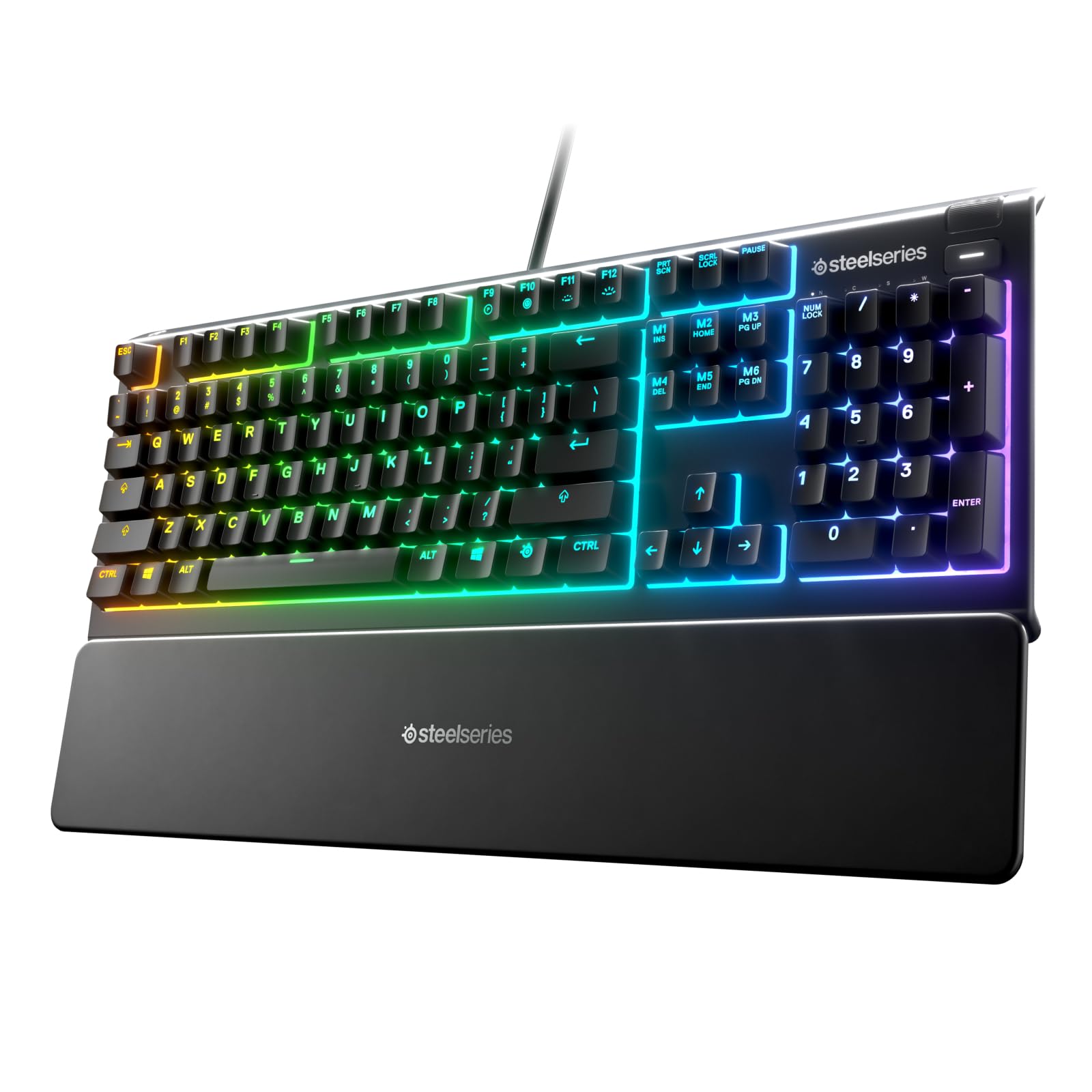
- Whisper-quiet switches and a full-size layout.
- Magnetic wrist rest provides palm support.
- IP32 water resistance and dedicated multimedia controls.
Best For: Desk workers who prefer a full-size layout, quiet switches and an included magnetic wrist rest.
SOLAKAKA KI99 Pro Silent
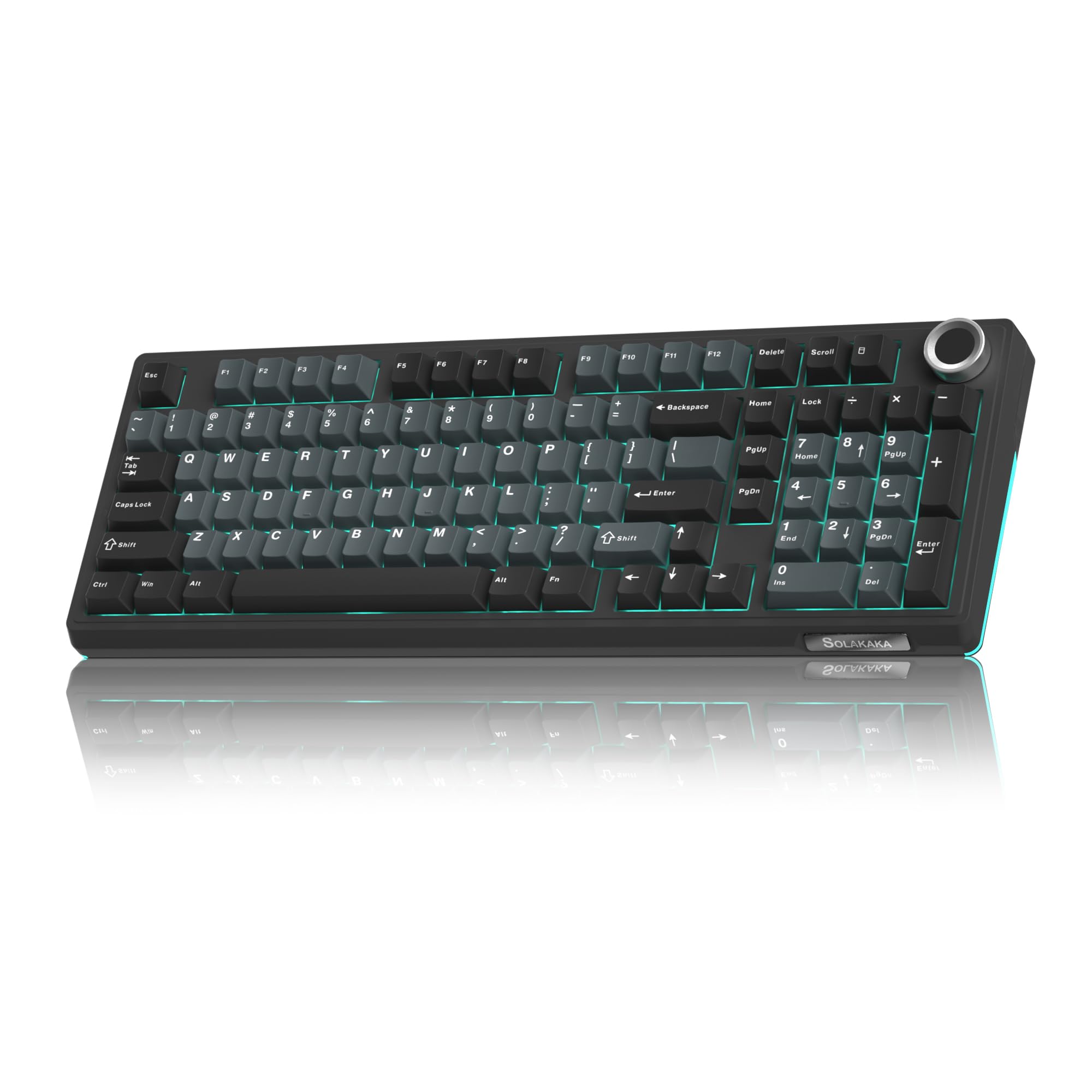
- 96% layout with number pad and multifunction knob.
- Bluetooth, 2.4 GHz wireless and USB-C wired modes.
- Silent switches, five noise-reducing layers and hot-swappable 3- or 5-pin support.
Best For: Mechanical-keyboard users who want quiet switches, wireless modes and a compact number-pad layout.
SOLAKAKA A99 Pro 96%
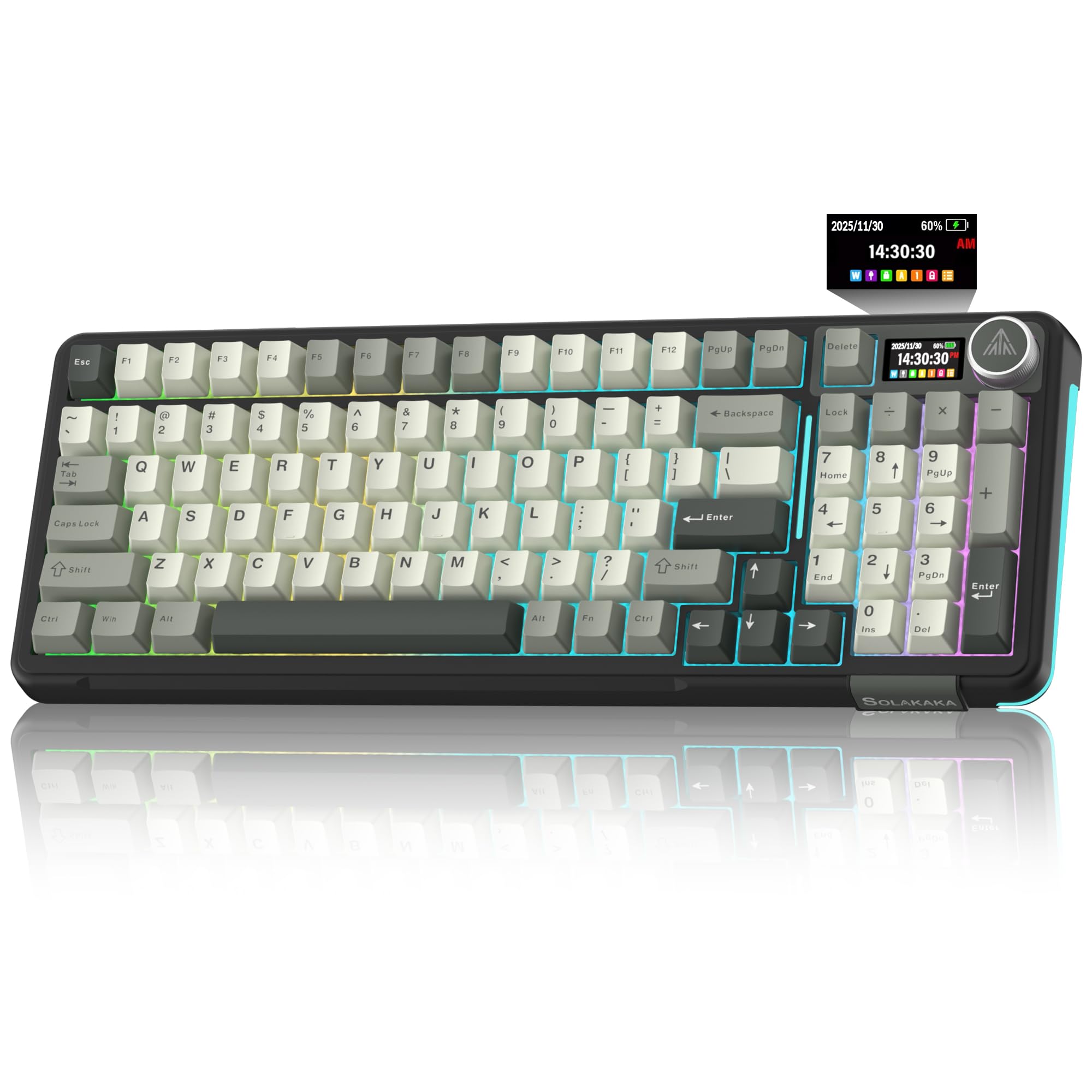
- 97-key 96% layout retains a number pad and arrow keys.
- LCD screen and multifunction knob show status and adjust controls.
- Three connection modes support up to five devices.
Best For: Users who want a compact number-pad mechanical keyboard with a screen and multi-device connections.
SOLAKAKA A99 Pro LCD Keyboard
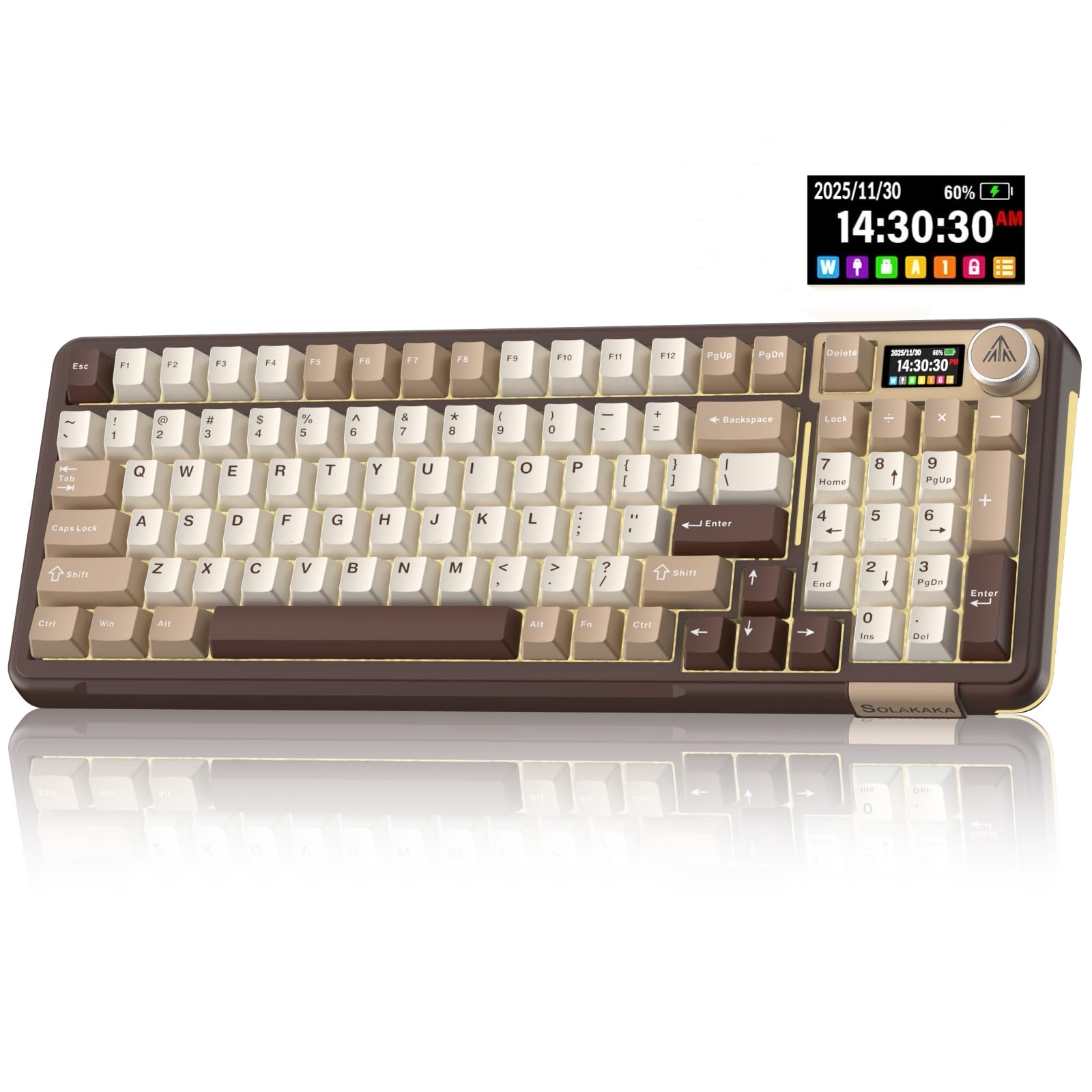
- LCD display and metal knob provide status and quick controls.
- Bluetooth, 2.4 GHz wireless and USB-C connections support up to five devices.
- Hot-swappable 3- and 5-pin switches with gasket construction.
Best For: Work-and-play users seeking a multi-device mechanical keyboard with screen, knob and hot-swap switches.
SOLAKAKA A99 Pro 96% Wireless
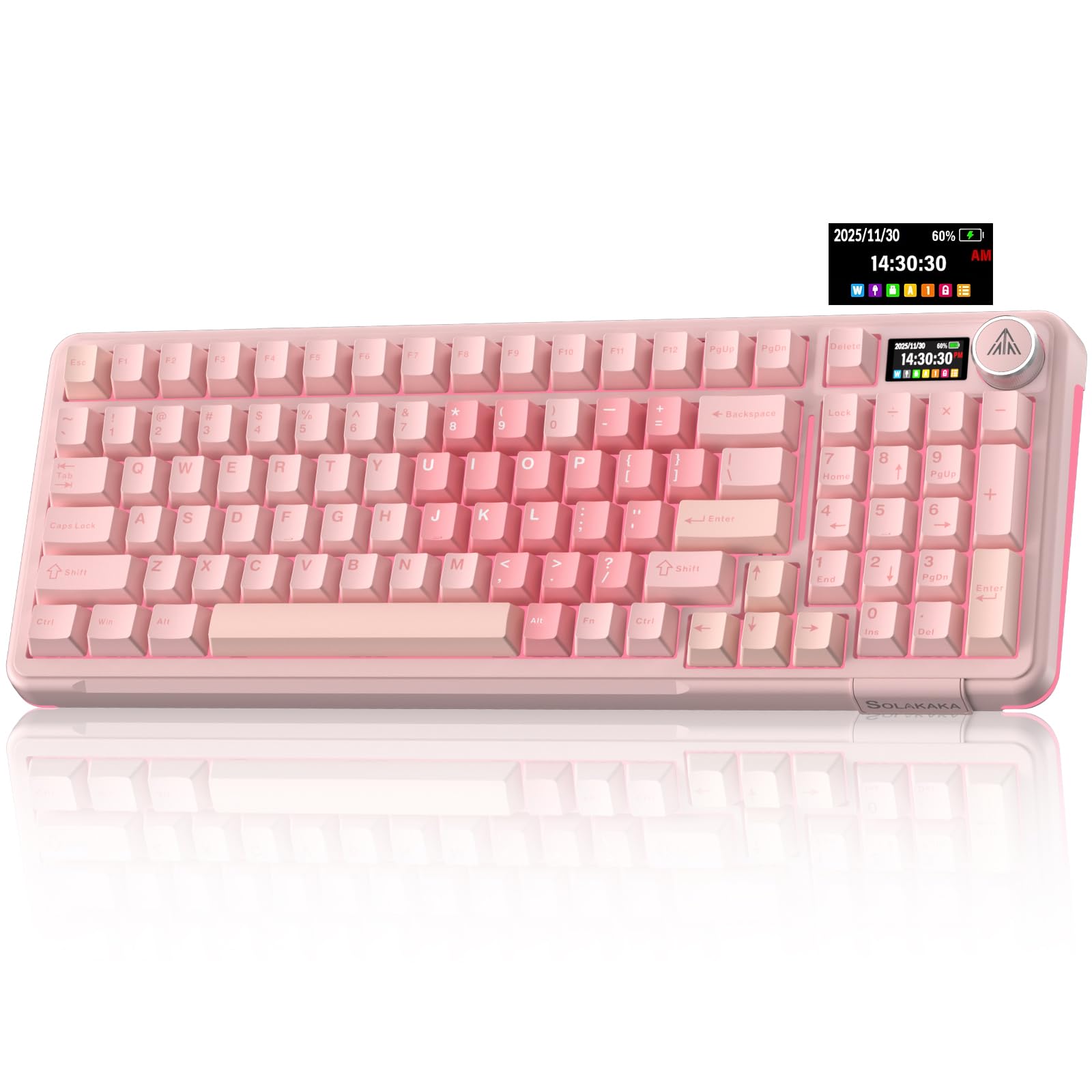
- 97 keys in a 96% layout, including a numeric keypad and arrow keys.
- Tri-mode connectivity supports up to five devices.
- LCD status display, multifunction knob and hot-swappable switches.
Best For: People who want a 97-key mechanical layout with number pad, wireless options and customizable controls.
SOLAKAKA A75 75% PBT
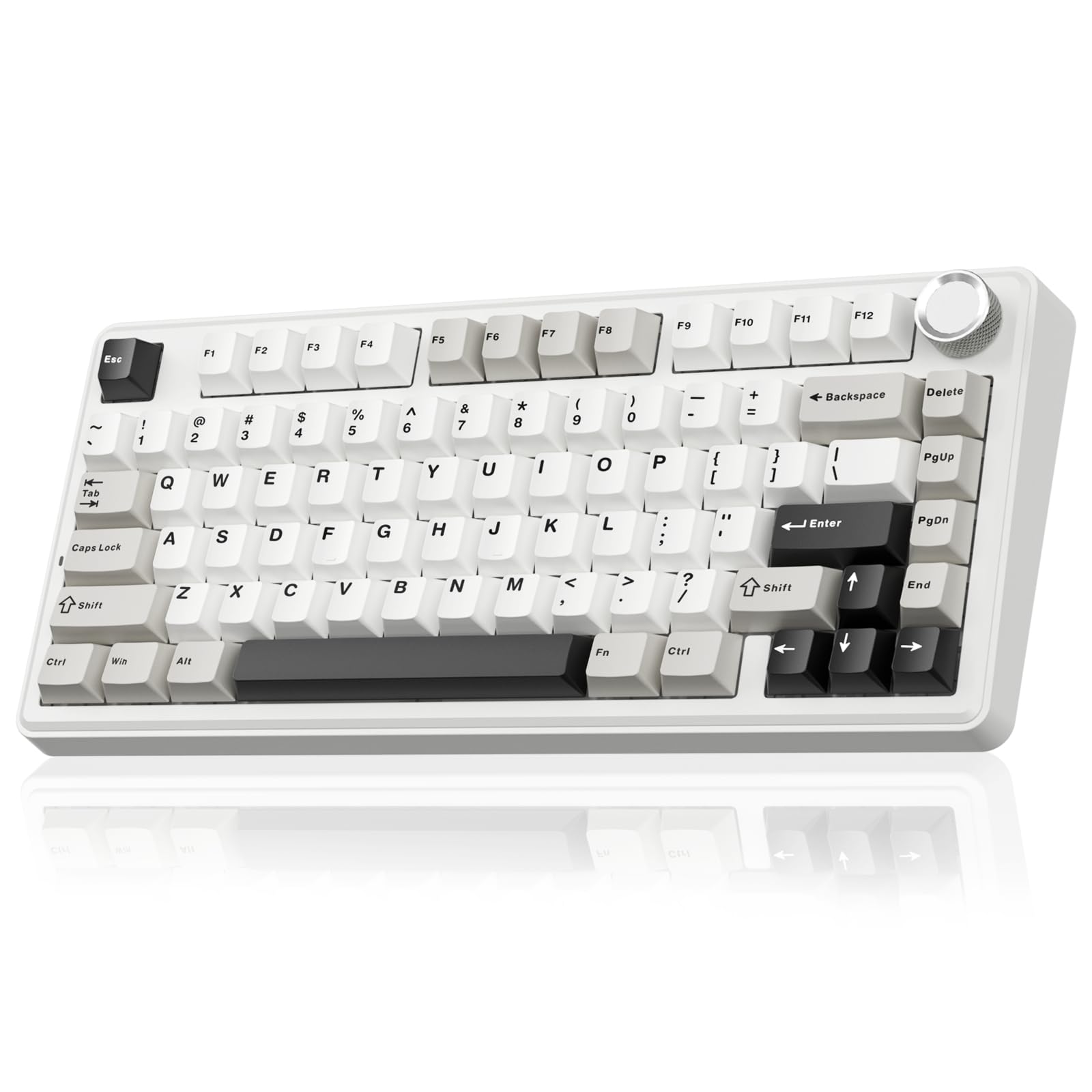
- 81-key 75% layout retains arrow keys in a compact footprint.
- PBT keycaps, 4,000 mAh battery and multifunction knob.
- Bluetooth, 2.4 GHz and USB-C connections with hot-swap switch support.
Best For: Users who want a compact mechanical board with arrow keys, PBT keycaps and wireless connectivity.
SOLAKAKA A75 Wireless Mechanical
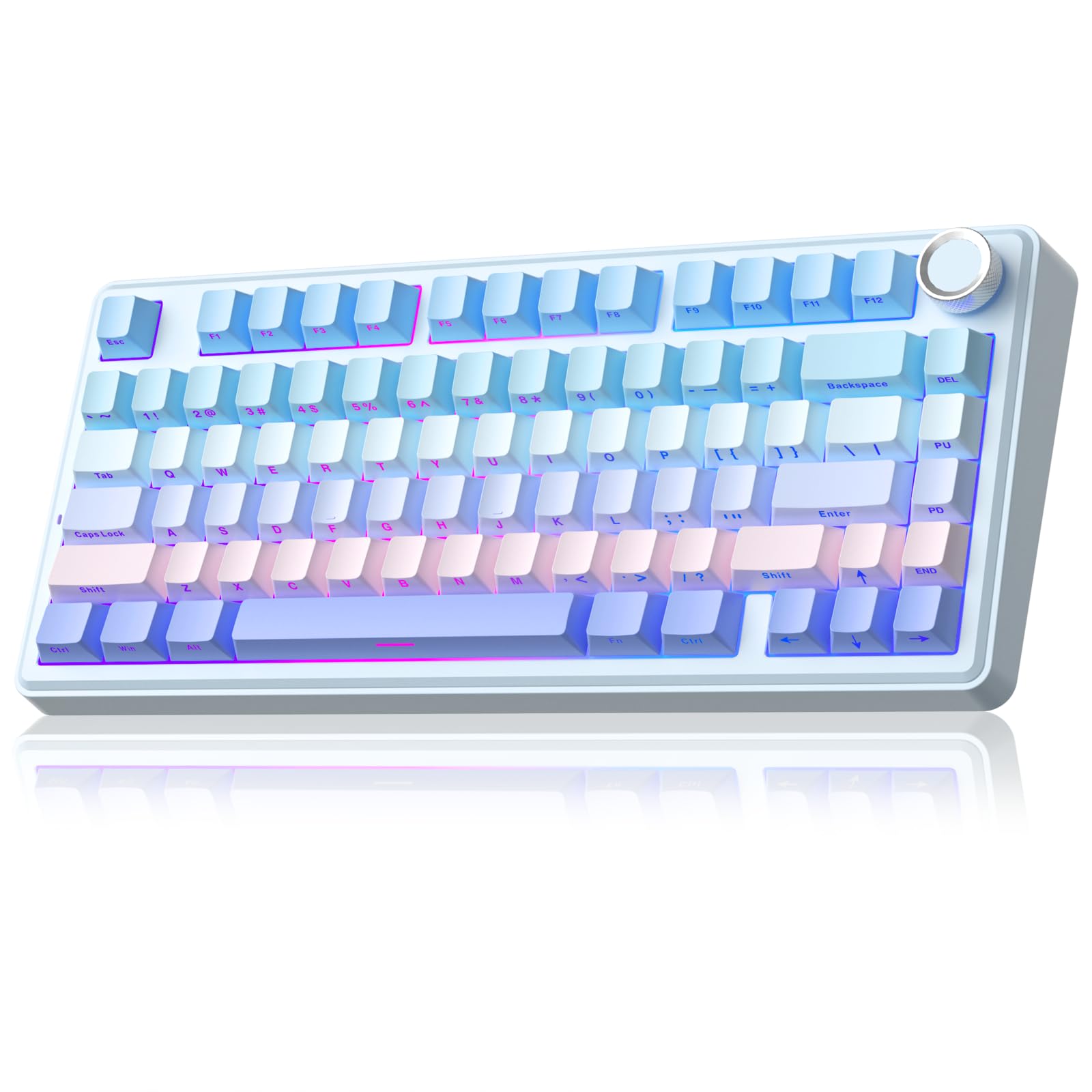
- Compact 81-key layout keeps arrow keys and saves desk space.
- Tri-mode connectivity supports up to five devices.
- Multifunction knob, 17 lighting modes and hot-swappable switches.
Best For: Workers seeking an 81-key mechanical keyboard with a knob, wireless modes and programmable lighting.
Quiet Full-Size Wireless Typing
JLab, Epic, Wireless Keyboard, Bluetooth 5.2, USB Dongle, Multi-Device, Backlit, 108 Keys, Black
The JLab Epic pairs a full 108-key layout with soft-touch keys, a metal base and a rechargeable 2,000 mAh battery. Its keys are backlit, and a media knob puts audio volume within reach during calls or focused work.
Bluetooth 5.2 can connect up to three devices, with a USB wireless dongle as another connection option. Windows, Mac, iOS, Android and ChromeOS are supported.
The JLab Work App saves up to three custom profiles. This is a practical choice for a shared desk where quiet typing, a number pad and switching between devices matter more than mechanical switch customization.
Best For: Office users who want a quiet full-size layout, backlighting and simple device switching.
| Pros | Cons |
|---|---|
|
|
Choose the Epic if you need a complete number-pad layout and move among several work devices. It offers Bluetooth and a USB dongle, plus app profiles for different workflows.
Consider the JLab JBuds if a slimmer 95-key design and a stated Bluetooth battery-life figure matter more. The Epic has backlit keys and a larger 108-key layout, while the JBuds listing describes a compact professional design.
Slim Multi-Device Desk Setup
JLab JBuds Wireless Keyboard, 95 Key, Multi-Device Bluetooth and USB dongle, Soft Touch Keys, Media knob, Custom Profiles, Black
The JLab JBuds provides a 95-key layout that keeps a full numerical pad while using a slim, professional design. Its soft-touch keys are intended for quiet typing, and the dedicated media knob controls volume and playback.
Bluetooth 5.2 supports two connections, while a USB wireless dongle provides another; the keyboard can toggle among up to three connections. JLab gives a battery-life figure of up to 30 days over Bluetooth or the dongle.
The Work App can program shortcuts and save up to three user profiles. It suits office workflows that favor compactness and device flexibility over a traditional full-size 108-key layout.
Best For: People seeking a slim wireless keyboard with a number pad, media controls and device profiles.
| Pros | Cons |
|---|---|
|
|
Pick the JBuds if a tidy desk, a number pad and multi-device switching are central to your work setup. Its compact 95-key layout preserves numeric entry while trimming keys compared with the Epic's 108-key format.
The Epic adds backlighting and a 2,000 mAh battery specification, while the JBuds provides a specific up-to-30-day battery estimate. Check that the device toggle workflow and key count suit your daily shortcuts.
Compact, Quiet Spill-Resistant Option
SteelSeries Apex 3 TKL RGB Gaming Keyboard – Tenkeyless Compact Form Factor - 8-Zone RGB Illumination – IP32 Water & Dust Resistant – Whisper Quiet Gaming Switch – Gaming Grade Anti-Ghosting,Black
The Apex 3 TKL removes the number pad to leave a more compact tenkeyless footprint. SteelSeries combines whisper-quiet switches with anti-ghosting technology and a rated performance figure of over 20 million keypresses.
Its IP32 water and dust resistance is intended to help prevent damage from liquids and dust particles. Eight-zone RGB lighting, dedicated multimedia controls and a clickable volume roller provide convenient desk controls.
The keyboard is compatible with Windows, Mac OS X, Xbox Series S and X, PS4 and PS5. It fits work desks where mouse space and quieter typing are more useful than a dedicated numeric pad.
Best For: Workers who want a compact tenkeyless board with quiet switches and liquid and dust resistance.
| Pros | Cons |
|---|---|
|
|
The Apex 3 TKL is a sensible fit when desk space and quieter keystrokes outweigh number-pad access. Its IP32 resistance and dedicated media controls also suit a desk where quick volume adjustment is useful.
For a quieter board that retains a full-size layout and includes a wrist rest, compare the full-size Apex 3. Confirm that your spreadsheet or data-entry work can comfortably use the keyboard's compact layout.
Full-Size Quiet Keys with Wrist Support
SteelSeries Apex 3 RGB Gaming Keyboard – 10-Zone RGB Illumination – IP32 Water Resistant – Premium Magnetic Wrist Rest (Whisper Quiet Gaming Switch)
The full-size SteelSeries Apex 3 combines whisper-quiet switches with a magnetic wrist rest that provides palm support. Its IP32 water resistance is designed to help prevent damage from accidental liquid spills.
Ten-zone RGB illumination adds customizable color, and dedicated multimedia controls let you adjust volume and settings without reaching for another device. The keyboard supports Windows, Mac OS X, Xbox Series S and X, PS4 and PS5.
Compared with the TKL model in this guide, it keeps the fuller layout and wrist rest, making it more suitable when numeric entry and palm support are priorities and a larger footprint is acceptable.
Best For: Desk workers who prefer a full-size layout, quiet switches and an included magnetic wrist rest.
| Pros | Cons |
|---|---|
|
|
Choose the full-size Apex 3 if you regularly use a number pad and want a wrist rest bundled with the keyboard. Its quiet switches and media controls support a straightforward office setup.
The Apex 3 TKL offers a smaller footprint and explicitly lists dust resistance alongside water resistance, but drops the number pad. Before buying, make sure the full-size board fits your desk and that the included wrist rest matches your preferred typing position.
Quieter Customizable Mechanical Typing
SOLAKAKA KI99 Pro Wireless Mechanical Keyboard with Quiet Switch, Hot Swappable Pre-Lubed Switches with RGB Backlit, Gasket Structure Computer Gaming Keyboard (BlackBlue, Silent Switch)
The KI99 Pro Silent uses a 96% layout that retains most full-size functions, including a number pad, while reducing desk footprint. It supports Bluetooth 5.0, 2.4 GHz wireless and USB-C wired connections, and its 10,000 mAh battery is designed to reduce charging frequency.
Silent switches work with a gasket structure and five noise-reducing layers for a quieter mechanical typing setup. The keyboard has a control knob for volume, media and lighting brightness, PBT keycaps, RGB lighting and software for key programming and macros.
It is a useful option when you want mechanical customization without the louder feel associated with clicky switches.
Best For: Mechanical-keyboard users who want quiet switches, wireless modes and a compact number-pad layout.
| Pros | Cons |
|---|---|
|
|
Consider the KI99 Pro Silent if you want a mechanical board with switch customization but need a quieter typing configuration. The 96% layout keeps a number pad, unlike the compact A75 models, while the wireless modes and knob provide flexibility at a work desk.
The JLab Epic is a simpler soft-touch alternative with a full-size layout. Check the 96% key arrangement and available software support for your operating system before choosing it.
96% Layout with Screen and Device Switching
SOLAKAKA A99 Pro Wireless Mechanical Keyboard with LCD Screen & Metal Knob, 2.4GHz/BT5.0/USB-C, RGB Backlit Gaming Keyboard, Hot Swappable, Creamy Keyboard with Gasket Structure, for Win/Mac
This A99 Pro version has a 96% layout with 97 keys, retaining a numeric keypad, arrows and essential function keys in a smaller footprint. A built-in LCD screen displays details such as date, time, battery level, system and connection mode.
The metal knob can control volume, lighting and system switching. Bluetooth 5.0, 2.4 GHz wireless and USB-C wired connections support up to five devices, with compatibility for Windows, Mac, iOS and Android.
It also offers full hot-swap support for 3- and 5-pin switches, a gasket structure with five cushioning layers, and RGB lighting. This is a feature-rich option for a multi-device work desk.
Best For: Users who want a compact number-pad mechanical keyboard with a screen and multi-device connections.
| Pros | Cons |
|---|---|
|
|
Choose this A99 Pro configuration if you need a numeric keypad but also switch among several devices and want status information on the keyboard. The screen, knob and five-device support set it apart from the simpler 96% KI99 Pro Silent.
Both provide hot-swappable mechanical switches, though the KI99 Pro emphasizes silent switches. Check the exact layout and connection workflow, especially if you move frequently between operating systems.
Compact Full-Function Layout with LCD
SOLAKAKA A99 Pro Mechanical Keyboard with LCD Screen & Metal Knob, Wireless Gaming Keyboard with BT5.0/2.4GHz/USB-C, Hot Swappable Creamy Keyboard, Gasket Structure, RGB Backlit, for Win/Mac
The A99 Pro pairs a multifunction metal knob with an LCD display showing information such as date, time, battery level, connected system and connection mode. It connects through Bluetooth 5.0, 2.4 GHz wireless or USB-C, and can save up to five devices across Windows, iOS, Mac and Android.
Its gasket structure uses five cushioning layers, and the keyboard supports full hot-swap replacement for 3- and 5-pin switches without soldering. RGB lighting and programmable software add further customization.
The supplied description does not clearly identify this offer's layout size, so confirm the exact key layout before buying if you need a number pad or a particular compact footprint.
Best For: Work-and-play users seeking a multi-device mechanical keyboard with screen, knob and hot-swap switches.
| Pros | Cons |
|---|---|
|
|
This A99 Pro is a fit if the screen, knob and multi-device support matter more than knowing a specific layout from the product details. Its feature set overlaps with the other A99 Pro offer, which identifies a 97-key 96% layout.
Confirm that this keyboard's exact layout suits your desk and work tasks before purchase, especially if you depend on a number pad. The hot-swap support and three connection modes offer flexibility once the layout is confirmed.
96% Mechanical Board for Numeric Work
SOLAKAKA A99 Pro Wireless Gaming Keyboard with LCD Screen & Metal Knob, 96% Layout Mechanical Keyboard, 2.4GHz/BT5.0/USB-C, Hot Swappable, Creamy Keyboard with Gasket Structure, RGB, for Win/Mac
This A99 Pro version specifies a 97-key 96% layout, retaining frequently used keys such as the numeric keypad, arrows and function keys while saving space. It has an LCD screen for date, time, battery level, system and connection information, plus a knob for volume and lighting controls.
Bluetooth 5.0, 2.4 GHz wireless and USB-C wired modes support up to five devices. Hot-swap support accepts 3- and 5-pin switches without soldering, and the gasket construction has five cushioning layers.
RGB lighting, software customization and macros add flexibility. It suits people who want a compact mechanical keyboard but still use number-pad shortcuts at work.
Best For: People who want a 97-key mechanical layout with number pad, wireless options and customizable controls.
| Pros | Cons |
|---|---|
|
|
Pick this A99 Pro when your work benefits from a number pad but your desk needs a smaller footprint than a conventional full-size keyboard. Its specified 97-key layout makes it easier to assess than the A99 Pro offer without a clear key count.
The screen and knob add status and control options, while hot-swap support lets you change switches. Compare the silent KI99 Pro if reducing typing noise is your main priority.
Compact PBT Mechanical Keyboard
SOLAKAKA A75 75% Wireless Mechanical Keyboard, Hot Swappable Gaming Keyboard with Multifunction Knob & RGB, Gasket Mounted Creamy Keyboard, PBT Keycaps, Compact Layout for Win/Mac/PC
The A75 PBT uses an 81-key 75% layout that keeps arrow keys while freeing space by omitting less frequently used keys. Its double-shot PBT keycaps are described as sweat-resistant and fade-proof, and the 4,000 mAh battery supports wireless use.
Bluetooth 5.0, 2.4 GHz wireless and USB-C wired connections are available, with up to five devices supported. A multifunction knob switches between gaming and office modes, including volume adjustment in office mode.
The keyboard also supports hot-swappable 3- or 5-pin switches and programmable software. It fits work desks that favor compactness and keycap customization over dedicated number-pad access.
Best For: Users who want a compact mechanical board with arrow keys, PBT keycaps and wireless connectivity.
| Pros | Cons |
|---|---|
|
|
The A75 PBT is suited to a compact desk where arrow keys are essential but a number pad is not. Its PBT keycaps distinguish it from the A75 offer with crystal keycaps, while both offer 81 keys, a knob and multiple connection modes.
Keep in mind that the driver is limited to Windows and wired mode. If your work involves frequent numeric entry, the 96% A99 Pro offers a more suitable layout.
Budget-Friendly Compact Mechanical Setup
SOLAKAKA A75 Wireless Mechanical Keyboard, Hot Swappable Gaming Keyboard with RGB Backlit, Multifunction Knob, Gasket Mounted Creamy Keyboard, BT5.0/2.4GHz/USB-C, 75% Compact Layout for Win/Mac/PC
This A75 configuration offers an 81-key 75% layout, keeping arrow keys while reducing the number of keys on the desk. It supports Bluetooth 5.0, 2.4 GHz wireless and USB-C wired connections, and can connect to up to five devices.
The multifunction knob switches between gaming and office modes; in office mode it can mute or unmute and adjust volume. Hot-swappable 3- and 5-pin switches, a gasket structure and pre-lubricated stabilizers provide mechanical customization.
RGB lighting offers 17 modes, while programmable software can configure shortcuts, macros and lighting. The driver supports Windows only and must run in wired mode, a practical consideration for cross-platform workplaces.
Best For: Workers seeking an 81-key mechanical keyboard with a knob, wireless modes and programmable lighting.
| Pros | Cons |
|---|---|
|
|
Consider this A75 if you want a compact mechanical board with a knob and switch customization, and can work without a number pad. Its office-mode knob controls sound directly, while the three connection modes help accommodate different devices.
The PBT A75 adds PBT keycaps and a stated 4,000 mAh battery; this configuration highlights software customization and 17 lighting modes. Check whether the Windows-only wired driver fits your workplace devices.
How to Choose Keyboards For Work
How We Picked Keyboards for Work
This group focuses on practical work needs: typing noise, layout, device connections and convenient controls. Full-size and 96% models suit users who rely on a numeric keypad, while tenkeyless and 75% layouts trade that keypad for a smaller footprint.
Quiet soft-touch and silent-switch options make sense for shared spaces. Mechanical models add hot-swap and programming features for people who want to customize their typing setup.
The selection also distinguishes simple daily office tools from gaming-oriented keyboards whose features still have work uses. Media knobs, backlighting, wrist rests, device switching and programmable shortcuts can help shape a desk workflow.
The key question is whether those extras support your work or add complexity you do not need.
Comparing Keyboards for Work
For quiet, familiar office typing, the JLab Epic and JBuds use soft-touch keys, while SteelSeries Apex 3 models offer whisper-quiet switches. The full-size Apex 3 includes a magnetic wrist rest; the TKL version takes less space and includes IP32 water and dust resistance.
JLab's JBuds is slimmer and gives an up-to-30-day battery figure, while the Epic adds backlighting and a full 108-key layout.
Mechanical options vary more in layout and customization. SOLAKAKA's KI99 Pro Silent retains a number pad in a 96% layout and focuses on quieter switches.
The A99 Pro versions add a screen and knob, and the specified 97-key model retains the number pad. The A75 models reduce the footprint to 81 keys, keep arrow keys and omit the numeric keypad.
Choose according to the keys and controls you use every day.
| Product | Standout features | Best for |
|---|---|---|
| JLab Epic Wireless KeyboardCheck Price |
| Office users who want a quiet full-size layout, backlighting and simple device switching. |
| JLab JBuds Wireless KeyboardCheck Price |
| People seeking a slim wireless keyboard with a number pad, media controls and device profiles. |
| SteelSeries Apex 3 TKLCheck Price |
| Workers who want a compact tenkeyless board with quiet switches and liquid and dust resistance. |
| SteelSeries Apex 3Check Price |
| Desk workers who prefer a full-size layout, quiet switches and an included magnetic wrist rest. |
| SOLAKAKA KI99 Pro SilentCheck Price |
| Mechanical-keyboard users who want quiet switches, wireless modes and a compact number-pad layout. |
| SOLAKAKA A99 Pro 96%Check Price |
| Users who want a compact number-pad mechanical keyboard with a screen and multi-device connections. |
| SOLAKAKA A99 Pro LCD KeyboardCheck Price |
| Work-and-play users seeking a multi-device mechanical keyboard with screen, knob and hot-swap switches. |
| SOLAKAKA A99 Pro 96% WirelessCheck Price |
| People who want a 97-key mechanical layout with number pad, wireless options and customizable controls. |
| SOLAKAKA A75 75% PBTCheck Price |
| Users who want a compact mechanical board with arrow keys, PBT keycaps and wireless connectivity. |
| SOLAKAKA A75 Wireless MechanicalCheck Price |
| Workers seeking an 81-key mechanical keyboard with a knob, wireless modes and programmable lighting. |
Choosing a Work Keyboard Layout
Start with the work you do most. A full-size or 96% keyboard is easier to fit into spreadsheet-heavy or numeric-entry workflows because it retains a number pad.
The JLab Epic supplies a conventional 108-key layout, while the SOLAKAKA A99 Pro 96% keeps 97 keys in a denser arrangement. If you rarely enter numbers, the Apex 3 TKL or an A75 can leave more room for a mouse and papers.
Compact layouts require some adjustment because dedicated keys are reduced or omitted. The A75's 81 keys retain arrows, but no number pad is specified.
Before choosing a smaller board, check the keys you use for navigation, function commands and shortcuts. A compact layout can suit focused writing, but it may slow tasks that rely on frequent numeric entry.
Quiet Typing and Desk Comfort
In shared offices or home work areas, sound can matter as much as key feel. The JLab models use soft-touch keys; the Apex 3 models emphasize whisper-quiet switches, and the KI99 Pro Silent combines silent switches with noise-reducing layers.
These are distinct approaches, so consider whether you prefer a conventional soft-touch keyboard or mechanical switch customization.
Desk comfort depends on fit and position, not just the keyboard itself. The full-size Apex 3 includes a magnetic wrist rest, while the JLab Epic has a metal base and soft-touch keys.
Compact keyboards can create more mouse space, but they do not provide the omitted number pad. Check whether your desk depth, mouse placement and usual hand position work with the chosen format.
Wireless Keyboards and Work Controls
If you switch between a laptop, tablet and phone, connection flexibility matters. Both JLab boards support Bluetooth and a USB wireless dongle, with toggling across up to three connections.
SOLAKAKA's A99 Pro and A75 models add 2.4 GHz wireless and USB-C wired modes, and several support up to five devices. Confirm that the connection method works with your work computer and that any software controls you need support its operating system.
A knob can make volume and lighting adjustments quicker, while dedicated media controls offer familiar one-touch access. The JLab models have media knobs, the SteelSeries Apex 3 boards include media keys, and the SOLAKAKA models combine knobs with lighting or mode controls.
Backlighting helps in dim environments, but RGB customization is optional for office work. Prioritize the controls you will actually use.
Who Should Buy Which Work Keyboard?
Choose the JLab Epic for a quiet-feeling full-size board with backlighting, or the JBuds for a slimmer number-pad layout and a stated long wireless battery estimate. Pick the SteelSeries Apex 3 if you want quiet switches and a wrist rest; choose its TKL sibling when desk space matters more than number entry.
For mechanical customization, the KI99 Pro Silent pairs a number pad with quieter switches. The A99 Pro 96% adds a status screen and device controls, while its other layout-unclear variant needs a layout check before purchase.
Pick an A75 when compact dimensions and arrow keys are more important than a number pad. Across all of them, verify operating-system compatibility, connection needs and key layout before deciding.