The best memory card readers depend on which cards you use and whether you connect to a computer, phone, or both. Compare slot formats, host connection, and transfer-rate support to find a reader that fits your devices and workflow.
Quick Top Products
SABRENT USB-C & USB-A Reader (CR-BCA2)
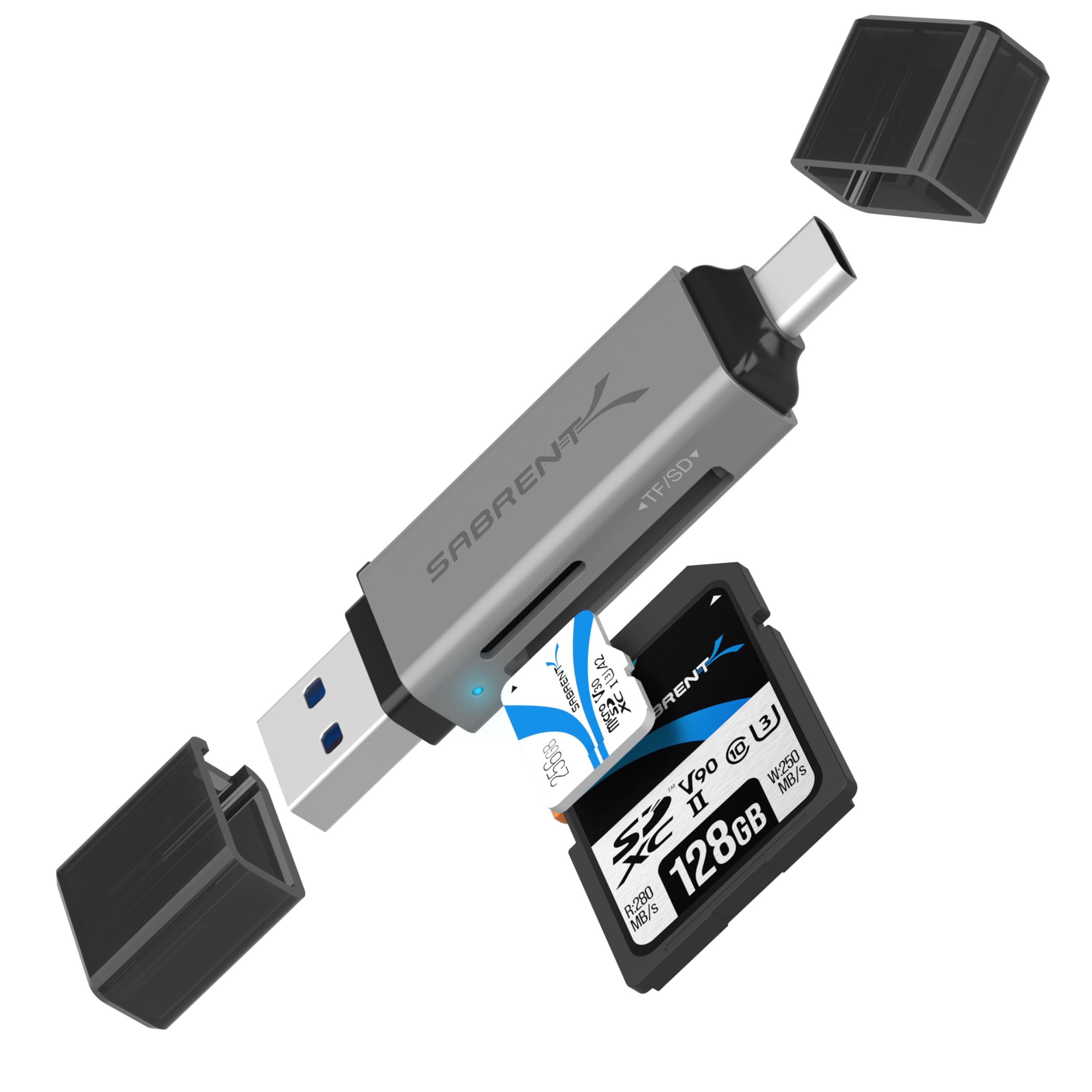
- USB-C and USB-A connections support a wider range of host devices.
- Dual slots read SD and microSD card formats.
- USB 3.0 supports up to 5Gbps, with an activity LED.
Best For: People who move SD and microSD files between newer USB-C devices and traditional USB-A computers.

SABRENT USB-C UHS-II Reader (CR-CSDM)
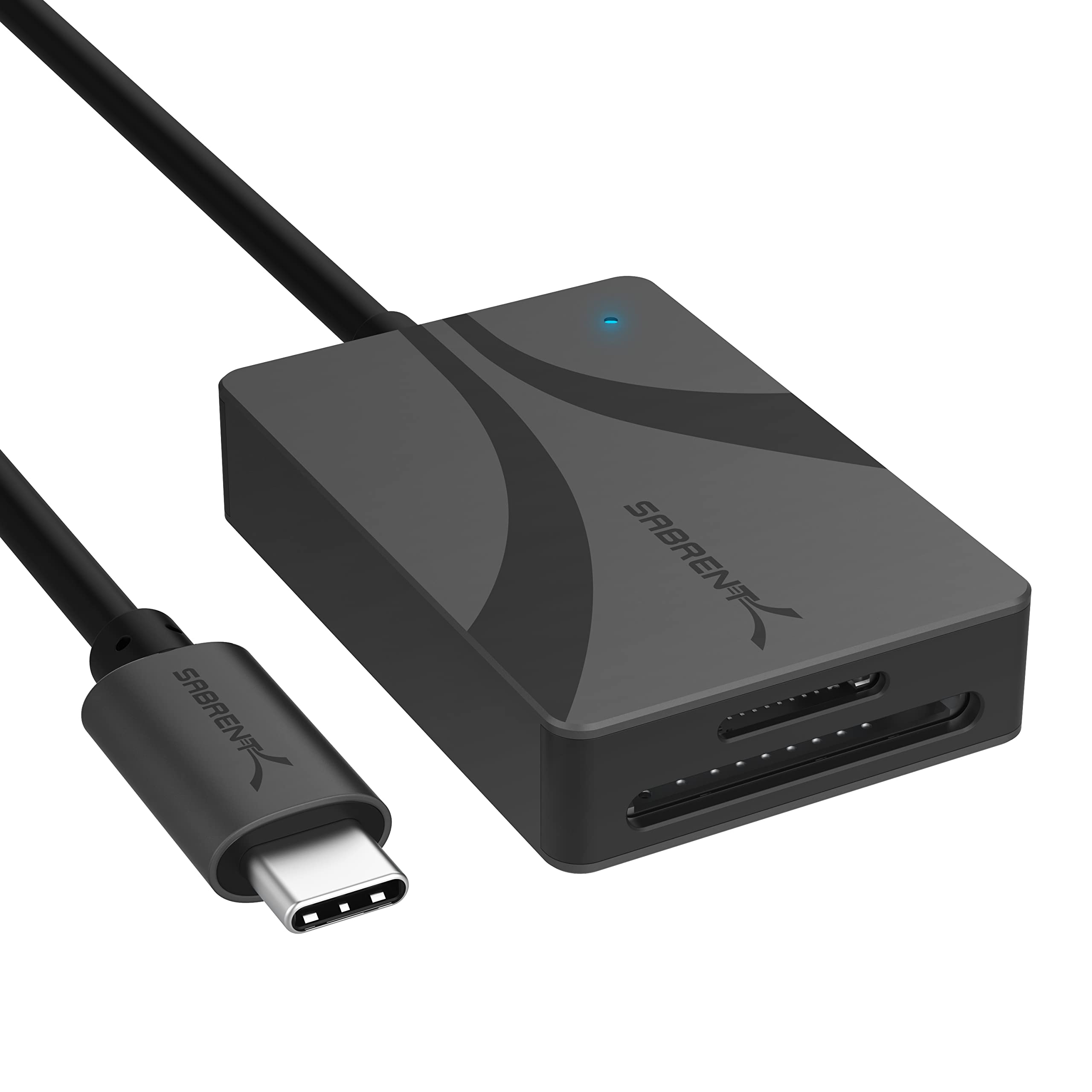
- Dual SD and microSD slots support UHS-II cards.
- Integrated six-inch USB-C cable avoids a separate cable.
- Bus-powered design includes an LED power indicator.
Best For: Photographers using SD or microSD UHS-II cards with a USB-C computer.
SMALLRIG Dual-Slot USB-C Reader 4870
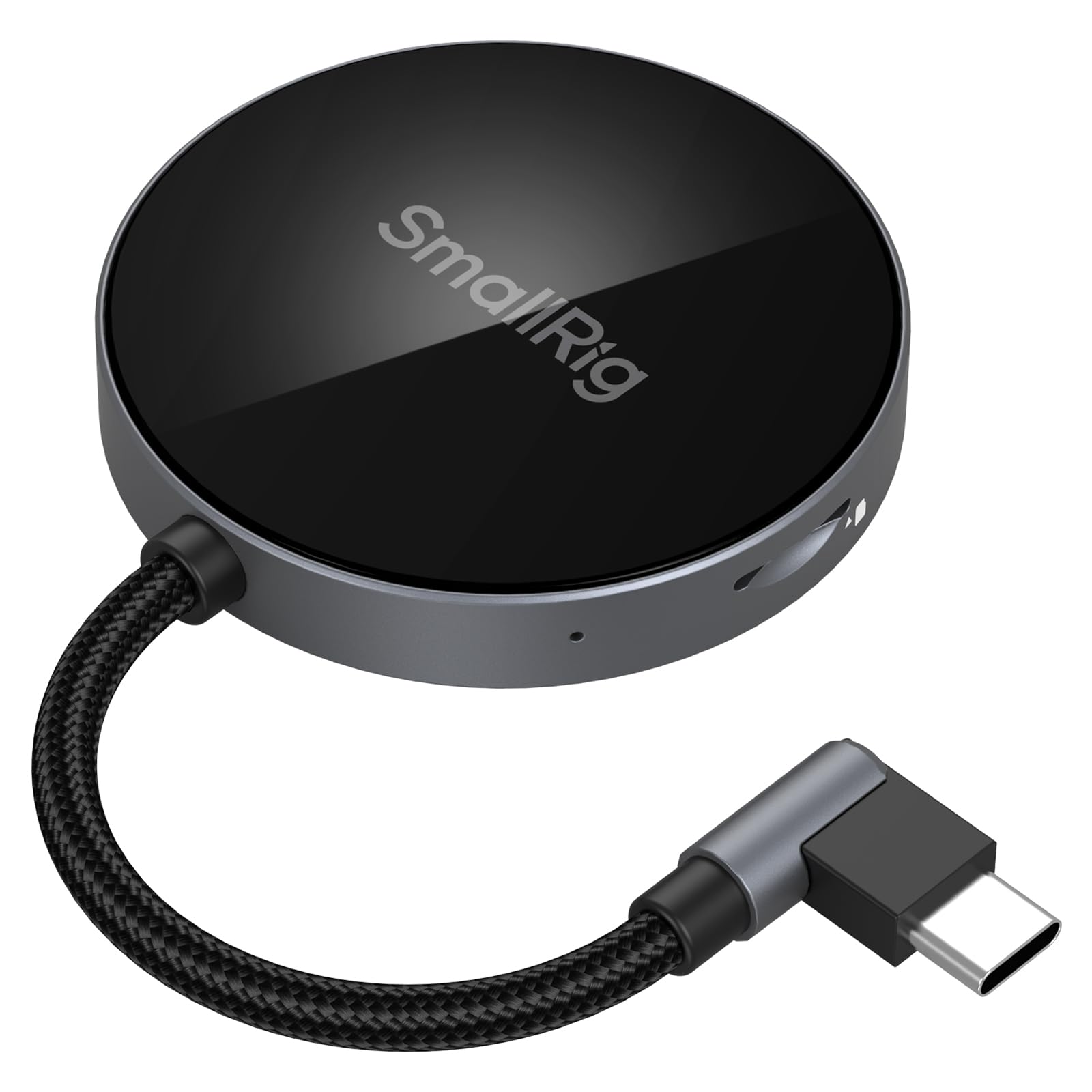
- Dual slots accept SD and TF, also known as microSD, formats.
- Angled USB-C connector and magnetic phone attachment support a compact setup.
- Supports up to 312MB/s across listed computer and mobile systems.
Best For: Users transferring SD or TF card files directly with a compatible USB-C phone or tablet.
SABRENT USB 3.0 SD & microSD Reader (CR-BYMS)
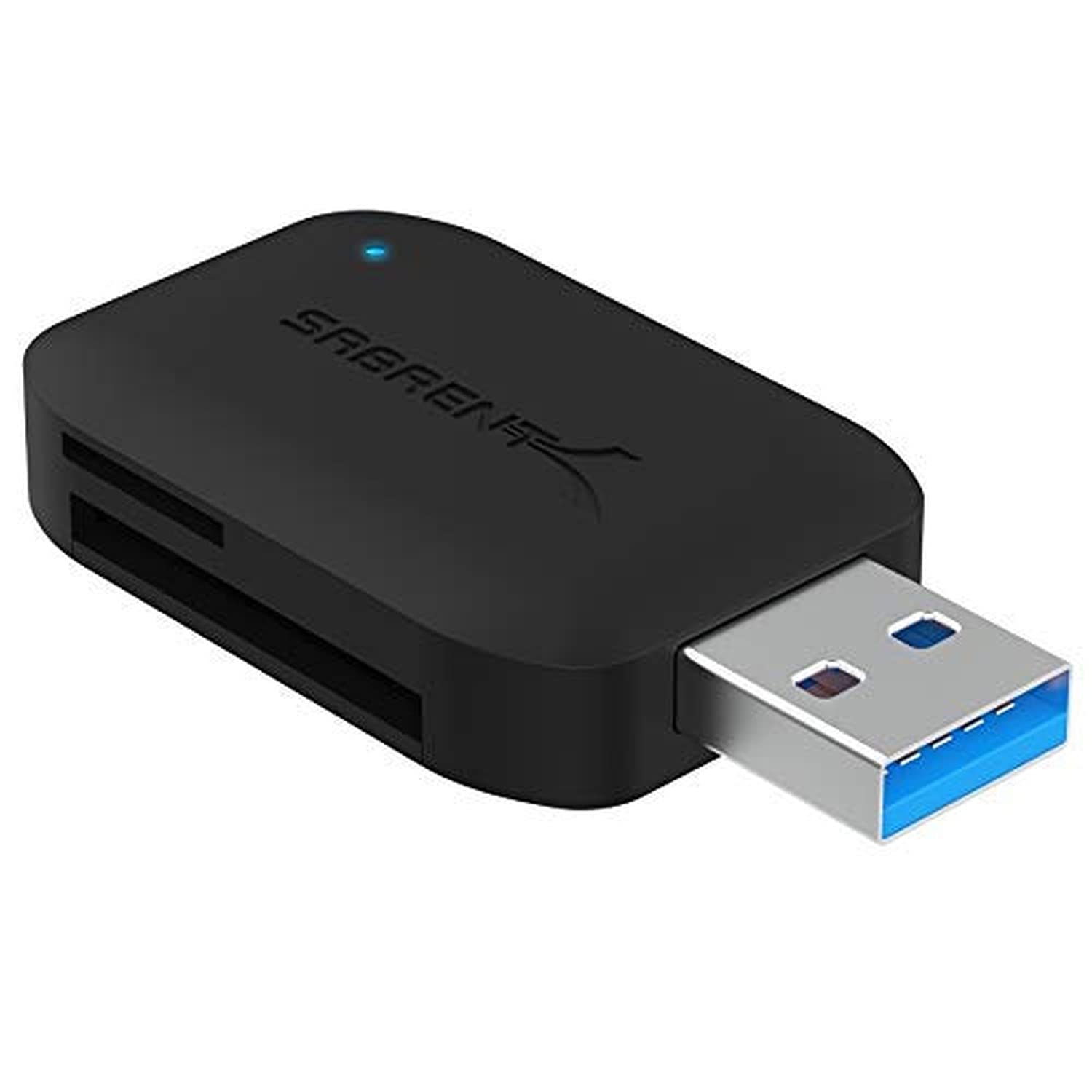
- Reads SD and microSD cards, including UHS-I.
- Supports simultaneous reading of two cards.
- USB 3.0 interface includes backward compatibility and an activity LED.
Best For: Computer users who need a simple USB-A reader for SD and microSD cards, including UHS-I.
SABRENT SuperSpeed 2-Slot Reader (CR-UMSS)
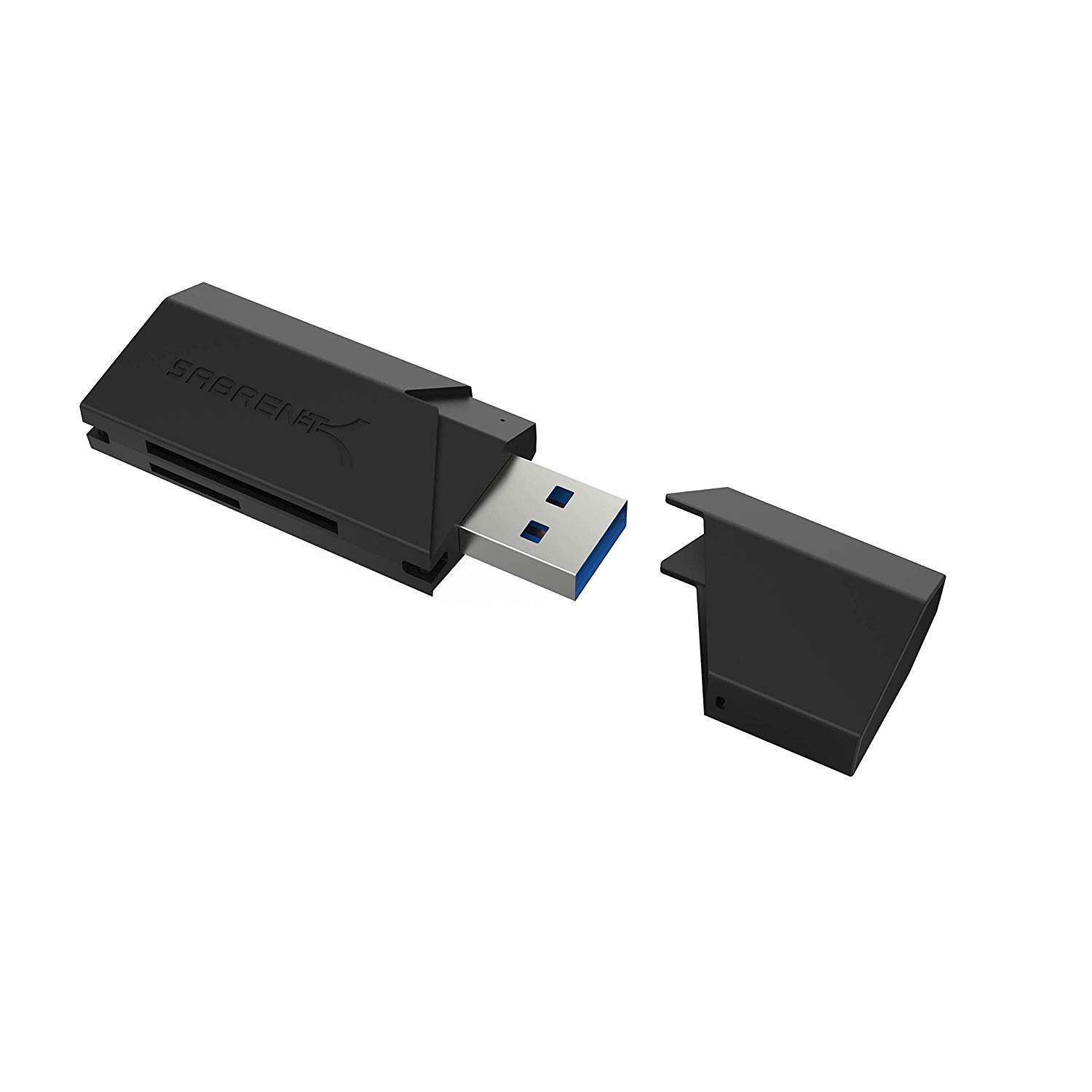
- Supports SD, SDHC, SDXC, MMC, microSD, and T-Flash.
- USB 3.0 connection works with USB 2.0 hosts.
- Bus-powered, plug-and-play setup needs no separate supply.
Best For: Users seeking a basic, bus-powered reader for SD, microSD, MMC, and T-Flash cards.
SABRENT 75-in-1 Reader/Writer (CRW-UINB)
- Six slots support a broad selection of legacy and current card formats.
- Includes an extra USB 2.0 port.
- Some formats may require an adapter.
Best For: People who need one external reader for a mix of older and current memory card formats.
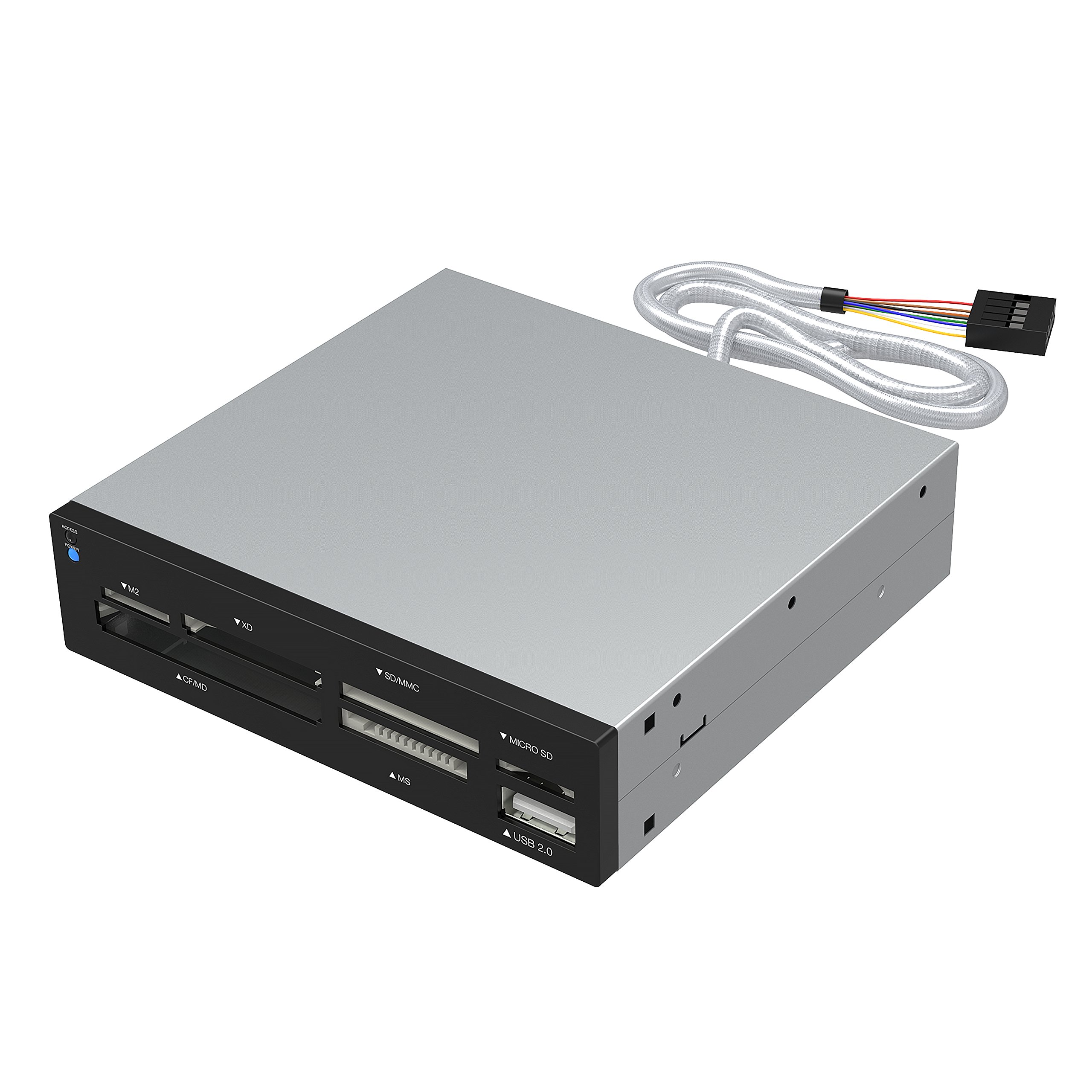
SABRENT Internal 74-in-1 Reader (CR-USNT)
- Six slots support a wide range of card formats.
- Designed for installation in a 3.5-inch desktop bay.
- Includes a USB 2.0 port and internal power connector.
Best For: Desktop builders who want card slots mounted in an available 3.5-inch bay.
USB-C and USB-A Flexibility
SABRENT SD Card Reader USB C & USB A, Micro SD Card Reader, USB 3.0 Dual Slot Memory Card Adapter for Laptop PC Android (CR-BCA2)
The SABRENT CR-BCA2 combines USB-C and USB-A connections in one compact reader, so it can serve devices with either port type. Its two slots handle SD and microSD formats, including SDXC and microSDXC, which suits common camera and portable-device cards.
The USB 3.0 interface supports transfers up to 5Gbps and works with USB 2.0 hosts as well. Plug-and-play setup avoids a separate driver installation, and an LED indicates activity.
Check that your phone or tablet supports external card access before relying on it for mobile transfers.
Best For: People who move SD and microSD files between newer USB-C devices and traditional USB-A computers.
| Pros | Cons |
|---|---|
|
|
Choose this model if the reader will travel between USB-C and USB-A computers, or if you want both SD and microSD slots in one compact unit. Its 5Gbps figure describes the USB 3.0 interface, not a guaranteed card transfer speed.
Check the card's own speed class and the host's port capability. For USB-C-only use with UHS-II cards, the Sabrent CR-CSDM has a more explicit high-speed card format focus.
UHS-II Support with an Integrated Cable
SABRENT USB Type-C Card Reader, Dual-Slot UHS-II SDXC and microSDXC SD 4.0 (CR-CSDM)
The SABRENT CR-CSDM pairs SD and microSD slots with UHS-II support and an integrated six-inch USB-C cable. It can transfer through both slots simultaneously, and the reader supports card speeds up to 312MBps.
The host connection is USB 3.2 Gen 1 and supports up to 5Gbps, so actual transfers depend on the card and connected device. It is bus-powered, plug-and-play, and has an LED power indicator.
Its compatibility details focus on Windows 8 and newer and macOS 12 and newer, making host-system checks important before purchase.
Best For: Photographers using SD or microSD UHS-II cards with a USB-C computer.
| Pros | Cons |
|---|---|
|
|
This reader fits a USB-C workflow built around faster UHS-II SD or microSD cards. Its 312MBps figure is a maximum card-support rate, while its USB 3.2 Gen 1 host link is rated up to 5Gbps; card and host capabilities affect real transfers.
The integrated cable keeps the connection self-contained, but offers less flexibility than a reader with both USB-A and USB-C connectors. Confirm your operating system version and card format.
Angled USB-C Design for Phone Transfers
SMALLRIG SD/TF Dual-Slot Card Reader USB 4.0 312MB/s - 4870
The SMALLRIG 4870 combines SD and TF slots with a 90-degree USB-C connector designed to reduce cable clutter around a connected device. Its magnetic back can attach to specified phone models, including iPhone 15 through 17 series and selected Samsung and Huawei models.
The reader supports up to 312MB/s and lists compatibility with Windows, Mac, Linux, Android, and HarmonyOS. For Android transfers, the file manager needs permission to run in the background so the transfer process is not interrupted.
Check your exact device and card support before choosing it.
Best For: Users transferring SD or TF card files directly with a compatible USB-C phone or tablet.
| Pros | Cons |
|---|---|
|
|
Consider the 4870 if mobile transfers are central to your workflow and your phone appears among the compatible models. The magnetic attachment and angled connector are distinctive conveniences, while the broad compatibility list also covers computers and tablets.
Its 312MB/s maximum depends on the card, host, and device setup. If you need a reader with conventional USB-A access, compare it with the dual-connector Sabrent CR-BCA2.
Compact Dual-Slot USB-A Reader
SABRENT USB 3.0 Micro SD and SD Card Reader (CR-BYMS)
The SABRENT CR-BYMS is a compact USB 3.0 reader for SD and microSD cards, including SDHC, SDXC, microSDHC, microSDXC, and UHS-I formats. It supports reading two cards simultaneously and has an LED that indicates power and activity.
The USB connection is backward compatible with USB 2.0 and 1.1, which can help with older hosts, though the connected interface affects transfer rates. The product details list Windows and Mac OS X 10 or higher compatibility.
Check the device port and operating system before buying, especially if you plan to use it with a phone.
Best For: Computer users who need a simple USB-A reader for SD and microSD cards, including UHS-I.
| Pros | Cons |
|---|---|
|
|
Pick the CR-BYMS for a straightforward dual-slot reader when your cards are SD or microSD and your host has a suitable USB port. It includes UHS-I support and can read two cards simultaneously, which helps when moving files between card formats.
The supplied compatibility details are computer-focused, so verify mobile support separately if that is your main use. For newer USB-C devices, the CR-BCA2 offers both connector types.
Simple Two-Slot USB 3.0 Reader
SABRENT SuperSpeed 2 Slot USB 3.0 Flash Memory Card Reader for Windows, Mac, Linux, and Certain Android Systems Supports SD, SDHC, SDXC, MMC/MicroSD, T Flash [Black] (CR-UMSS)
The SABRENT CR-UMSS provides two slots for SD, SDHC, SDXC, MMC, microSD, and T-Flash cards. Its USB 3.0 connection is backward compatible with USB 2.0, and the reader draws power from the USB port rather than needing a separate supply.
Plug-and-play operation avoids driver installation. The compatibility details include Windows, Mac, Linux, and certain Android systems, so mobile support is not universal.
This is a practical fit for common card formats and a conventional USB workflow, but check the connector and device compatibility before ordering.
Best For: Users seeking a basic, bus-powered reader for SD, microSD, MMC, and T-Flash cards.
| Pros | Cons |
|---|---|
|
|
Choose the CR-UMSS if your priority is a simple reader for familiar SD and microSD formats and you do not need a specialized phone attachment or UHS-II focus. USB 3.0 support gives it a newer host interface than USB 2.0, but the product details do not give a card-specific transfer rate.
Verify the physical connection matches your computer, and confirm Android compatibility for your particular device.
Broad Legacy Card Format Coverage
SABRENT 75 in 1 Multi Flash Media Card Reader/Writer(with Power Cord) (CRW-UINB)
The SABRENT CRW-UINB uses six card slots to cover a wide range of formats, including SD, SDHC, SDXC, MMC, microSD, CompactFlash, Memory Stick, xD, and M2. Some card types may require an adapter.
It connects over USB 2.0 and includes an additional USB 2.0 port, with an internal power connector intended to provide sufficient power to external USB devices. Its compatibility details include older Windows versions, Linux, and Mac OS X.
This broad-format design is most relevant when your card collection extends beyond SD and microSD.
Best For: People who need one external reader for a mix of older and current memory card formats.
| Pros | Cons |
|---|---|
|
|
This is the most format-focused choice here for users who still handle less common or older cards alongside SD and microSD. Its USB 2.0 connection is a tradeoff against the faster host interfaces on several compact readers, so it is better suited to broad compatibility needs than a speed-first workflow.
Check whether your particular legacy card needs an adapter and whether the listed operating-system support matches your computer.
Internal 3.5-Inch Bay Installation
SABRENT 74 in 1 3.5 Inch Internal Flash Media Card Reader/Writer with USB Port (CR-USNT)
The SABRENT CR-USNT is an internal 3.5-inch flash media reader with six slots covering formats such as SD, SDHC, SDXC, MMC, microSD, CompactFlash, Memory Stick, xD, and M2. Some card types may require an adapter.
It also includes a USB 2.0 port and an internal power connector intended to support external USB devices. Its listed operating systems include older Windows versions, Linux, and Mac OS X.
Because this reader is designed for a desktop bay, it suits a fixed computer setup rather than a portable reader kit.
Best For: Desktop builders who want card slots mounted in an available 3.5-inch bay.
| Pros | Cons |
|---|---|
|
|
Choose the CR-USNT when you are building or maintaining a desktop with an available 3.5-inch bay and want card slots installed in the case. Its range of formats can help with older media, but installation and USB 2.0 make it a poor match for someone seeking a pocketable or speed-oriented reader.
Confirm your case has the right bay and check whether your specific card requires an adapter.
How to Choose Memory Card Readers
How We Picked Memory Card Readers
This roundup focuses on readers that match common memory card transfer needs: SD and microSD access, connection to a computer or mobile device, and useful slot or format coverage. The selected products include compact dual-slot models, USB-C readers for newer devices, a USB-C and USB-A option, a broad-format external reader, and an internal desktop-bay reader.
The hunting viewer was excluded because its screen-based playback use differs from general file transfer.
Card format is the first filter. Most current camera and portable-device workflows use SD or microSD, while the Sabrent CRW-UINB and CR-USNT also cover formats such as CompactFlash, Memory Stick, xD, and M2.
Older formats can require an adapter, so check the exact card before choosing a broad-format model.
Comparing Memory Card Readers by Connection and Speed
The host connection shapes where a reader works. The Sabrent CR-BCA2 offers both USB-C and USB-A, while the CR-CSDM and SMALLRIG 4870 use USB-C.
The compact CR-BYMS and CR-UMSS suit a conventional USB setup. The two 74-in-1 style Sabrent readers use USB 2.0, and the CR-USNT also requires an internal desktop bay.
Transfer numbers need context. The CR-BCA2 and CR-BYMS support USB 3.0 interfaces rated up to 5Gbps; the CR-CSDM and SMALLRIG 4870 list card support up to 312MB/s.
Those figures describe different parts of the transfer path. The card, reader, host port, and device all affect practical speed, so match the reader to the card standard and computer or phone you actually use.
| Product | Standout features | Best for |
|---|---|---|
| SABRENT USB-C & USB-A Reader (CR-BCA2)Check Price |
| People who move SD and microSD files between newer USB-C devices and traditional USB-A computers. |
| SABRENT USB-C UHS-II Reader (CR-CSDM)Check Price |
| Photographers using SD or microSD UHS-II cards with a USB-C computer. |
| SMALLRIG Dual-Slot USB-C Reader 4870Check Price |
| Users transferring SD or TF card files directly with a compatible USB-C phone or tablet. |
| SABRENT USB 3.0 SD & microSD Reader (CR-BYMS)Check Price |
| Computer users who need a simple USB-A reader for SD and microSD cards, including UHS-I. |
| SABRENT SuperSpeed 2-Slot Reader (CR-UMSS)Check Price |
| Users seeking a basic, bus-powered reader for SD, microSD, MMC, and T-Flash cards. |
| SABRENT 75-in-1 Reader/Writer (CRW-UINB)Check Price |
| People who need one external reader for a mix of older and current memory card formats. |
| SABRENT Internal 74-in-1 Reader (CR-USNT)Check Price |
| Desktop builders who want card slots mounted in an available 3.5-inch bay. |
Choosing a Card Reader for Phone or Camera Work
For phone-based transfers, the SMALLRIG's magnetic attachment and angled connector offer a device-oriented setup, but only with compatible models. The Sabrent CR-BCA2 supports compatible Android devices and gives you both USB-C and USB-A connections.
On Android, confirm external card access and file-manager behavior before relying on a reader for uninterrupted transfers.
For camera workflows, consider whether you move files from one card format or several. A reader with SD and microSD slots covers many common combinations, and simultaneous access can be useful when supported.
If your camera uses UHS-II cards, the CR-CSDM explicitly supports that standard. For older cards, compare the format list and adapter needs rather than assuming every multi-slot reader accepts every card directly.
Which Memory Card Reader Fits Your Setup?
Choose the CR-BCA2 for flexible USB-C and USB-A connections. Choose the CR-CSDM for a USB-C computer workflow with UHS-II SD or microSD cards.
The SMALLRIG 4870 suits users who want a compact phone-oriented USB-C setup and whose device is compatible.
For a simple SD and microSD reader, the CR-BYMS or CR-UMSS covers common formats; check their connection and host compatibility. The CRW-UINB makes sense when broad external format coverage matters more than a newer interface.
The CR-USNT is for a desktop with an available 3.5-inch bay. Before buying, verify the card format, host port, operating system, and any adapter requirement.